

Meeting and Conference Room Digital Signage
Eliminate No-Shows and Optimize Meeting Rooms with Digital Signage for Microsoft
Benefits
- Show room availability and meeting details directly outside each room
- Sync automatically with Microsoft Exchange, Microsoft 365, and Teams calendars
- Reduce wasted space, missed meetings, and booking confusion







Digital Conference Room Signage
For Microsoft Exchange and Microsoft 365
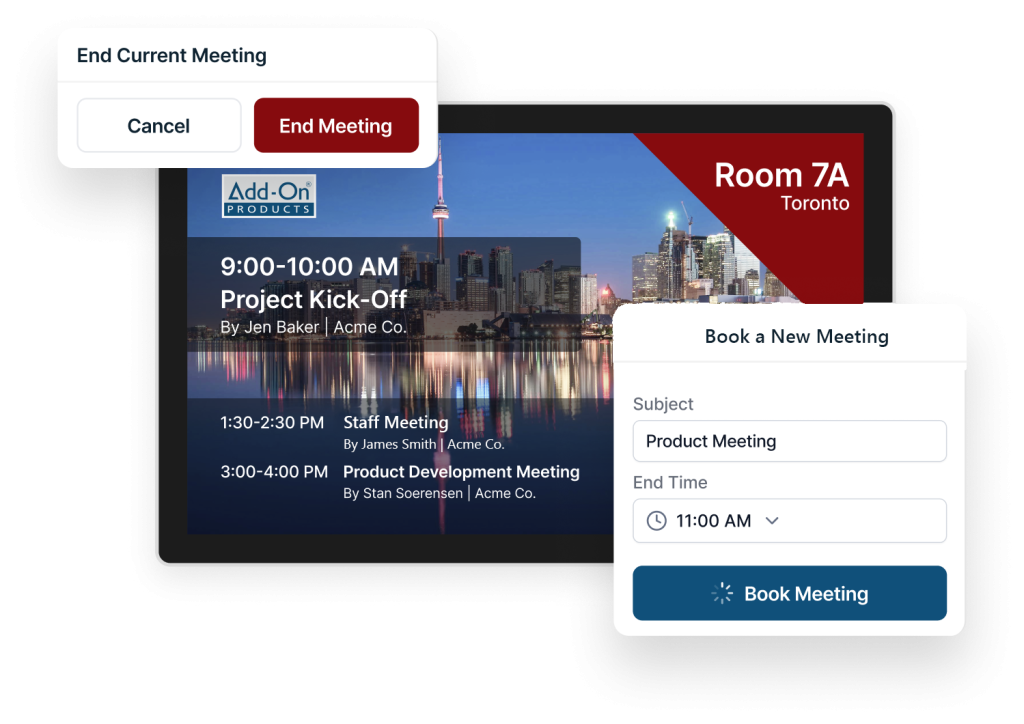
Book, confirm, extend, and end meetings directly on interactive screens outside meeting rooms. With the digital conference room signage, you can create instant meetings that are automatically synchronized with the Exchange Server. The intuitive interface ensures easy room booking and optimizes your internal resource utilization. The meeting room digital signage syncs with your calendar data and eliminates double bookings.
How Our Meeting and Conference Room Digital Signage Works
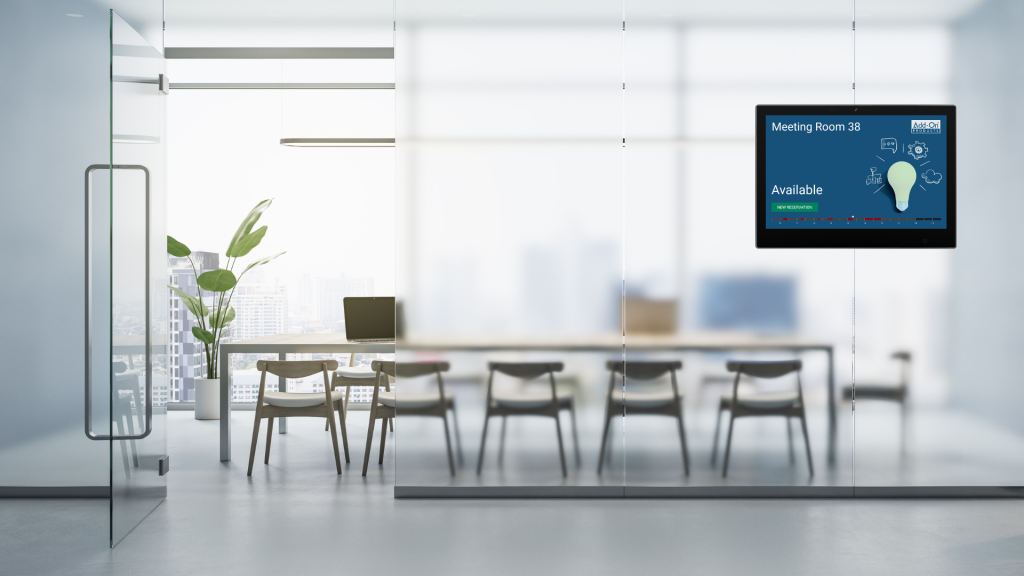
Our meeting and conference room digital signage solutions make it even easier to find and book workspaces. It’s as simple as:
- Use the interactive, color-coded floor plan map to identify available rooms
- Select the room you want to use
- Book a meeting (or extend an existing one) directly from the digital screen
- Once complete, the booking will automatically sync with existing applications, including Outlook®, Microsoft 365, and Exchange, among others
- Optional: Secure confirmation via RFID

Integration with Microsoft 365 and Outlook
Resource Central is 100% Microsoft-native and automatically syncs with Outlook® and Exchange to show bookings and meetings within employees’ native calendaring and email tools. Moreover, Resource Central also works with Teams, Microsoft 365, and other existing Microsoft solutions, ensuring real-time accuracy and reliability across employees’ daily tools.
Plus, you can book meetings and workspaces in Outlook and in Resource Central, which offers an advantage to companies with an existing Microsoft setup. You can add a room calendar in Outlook to make bookings faster and smarter.
Digital meeting and conference room sign solution
For Microsoft Exchange and Microsoft 365
Digital Sign Client is a digital room sign solution for managing conference and meeting rooms. Book meetings directly on the sign outside of the conference rooms or in your standard Outlook® environment.
Digital Sign Client ensures that the information on the sign is up-to-date, improving internal and external communication. At the same time, our digital conference room signage can improve your brand recognition. Our software supports iOS, Android and Windows, allowing you a free choice of hardware to match your existing interior design.
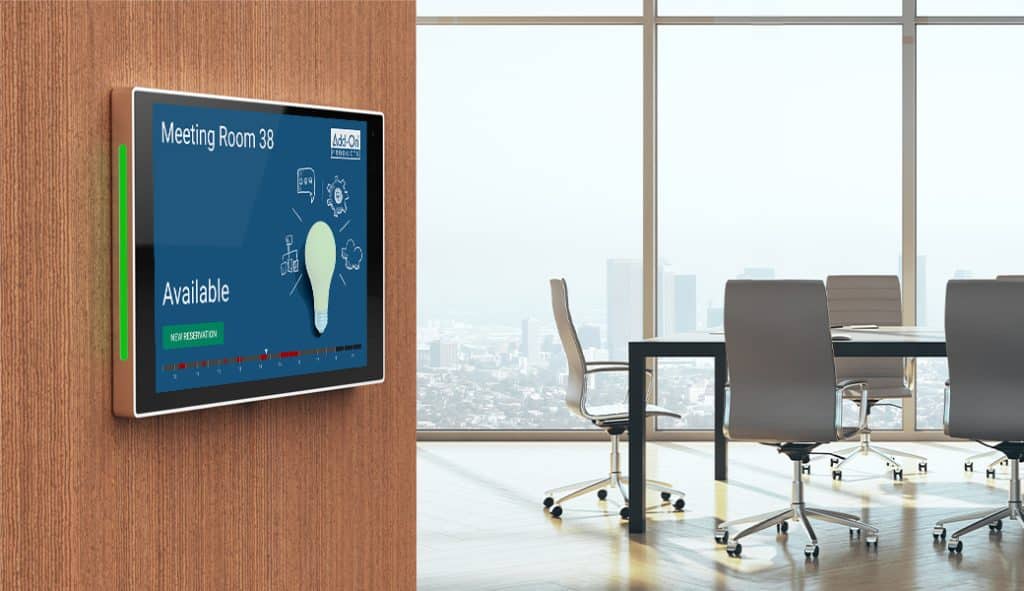
Benefits of digital signage for meeting and conference rooms
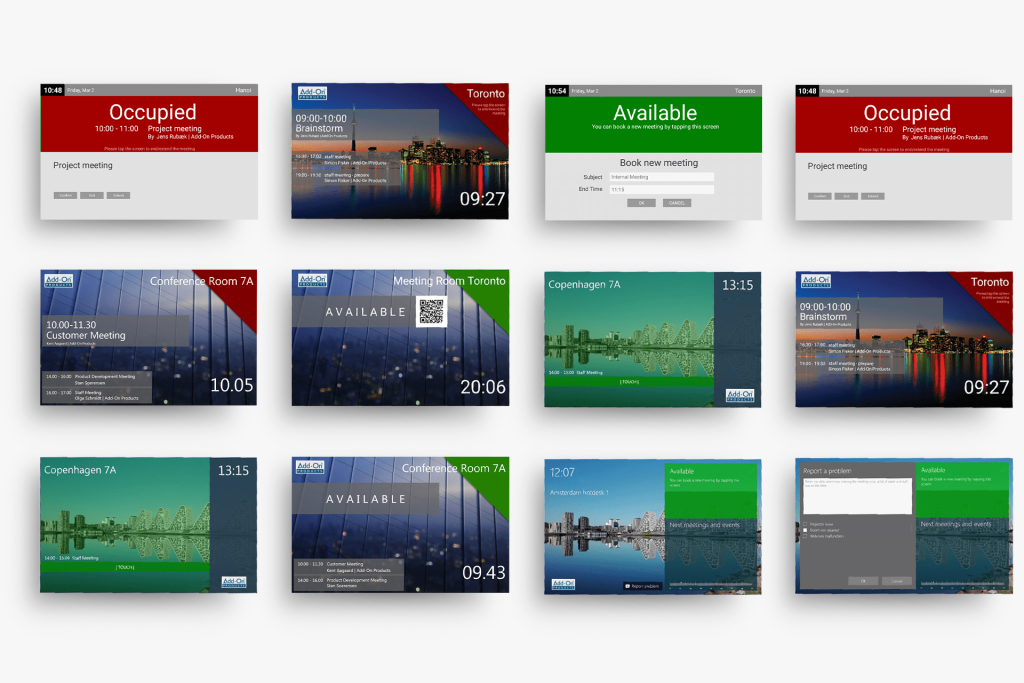
Digital room signs with customizable design
Bring your brand to life and engage visitors and staff with dynamic content, customized designs, and branding.
Branding Customization: Digital signage can be customized to match the branding and aesthetics of the meeting room or the organization, ensuring branding consistency and seamless messaging across different spaces.
- Customize screens with brand colors, logos and corporate design elements
- Adjust screens with custom layouts to enhance content and emphasize branding
- Use the template editor to make easy and quick changes to support important messages or seasonal events
Dynamic Content: Display dynamic content, such as event schedules, meeting agendas, room availability, video, and company announcements. This ensures that information is always up-to-date and relevant. Some screens can include interactive information for wayfinding and floor plans, and they all integrate with the meeting room booking system for Microsoft 365 for up-to-date room availability.
Drive communication, collaboration, and speed
Digital meeting room displays can help communicate important messages to meeting attendees and thus help streamline communication and keep everyone informed. It also tends to attract more attention compared to static signage.
Enhanced communication: Digital meeting room displays can help drive stronger internal communication by delivering important messages to meeting attendees with attention-grabbing visuals. This can help streamline communications and keep everyone informed with the most accurate information, and lead to fewer no-shows. Plus, we know from customers that digital signage tends to attract more attention compared to static signage, making it easier to feel confident that messages are seen and received.
Increased Efficiency: Digital signage can also help further streamline the meeting room booking process by displaying up-to-date room availability and allowing users to book directly from the display interface. This reduces the time spent coordinating meetings and eliminates double bookings.

Improve visitor experiences & support hybrid work models
Guide visitors more easily: Digital meeting room displays can make visitor management easier by improving navigation and wayfinding. With real-time visuals that display meeting names, room locations, and bookings, digital signage is a great way to improve visitor experiences and bolster professionalism for the company.
Support hybrid workforces: Ideal for companies with hybrid workforces or multiple locations, digital meeting room displays can support the flow of a hybrid work model with simpler navigation and booking features.
- Real-time availability on display lets you find available spaces faster
- Book on the touch-screen interface directly or use QR codes
- Find the meeting or conference room at new locations
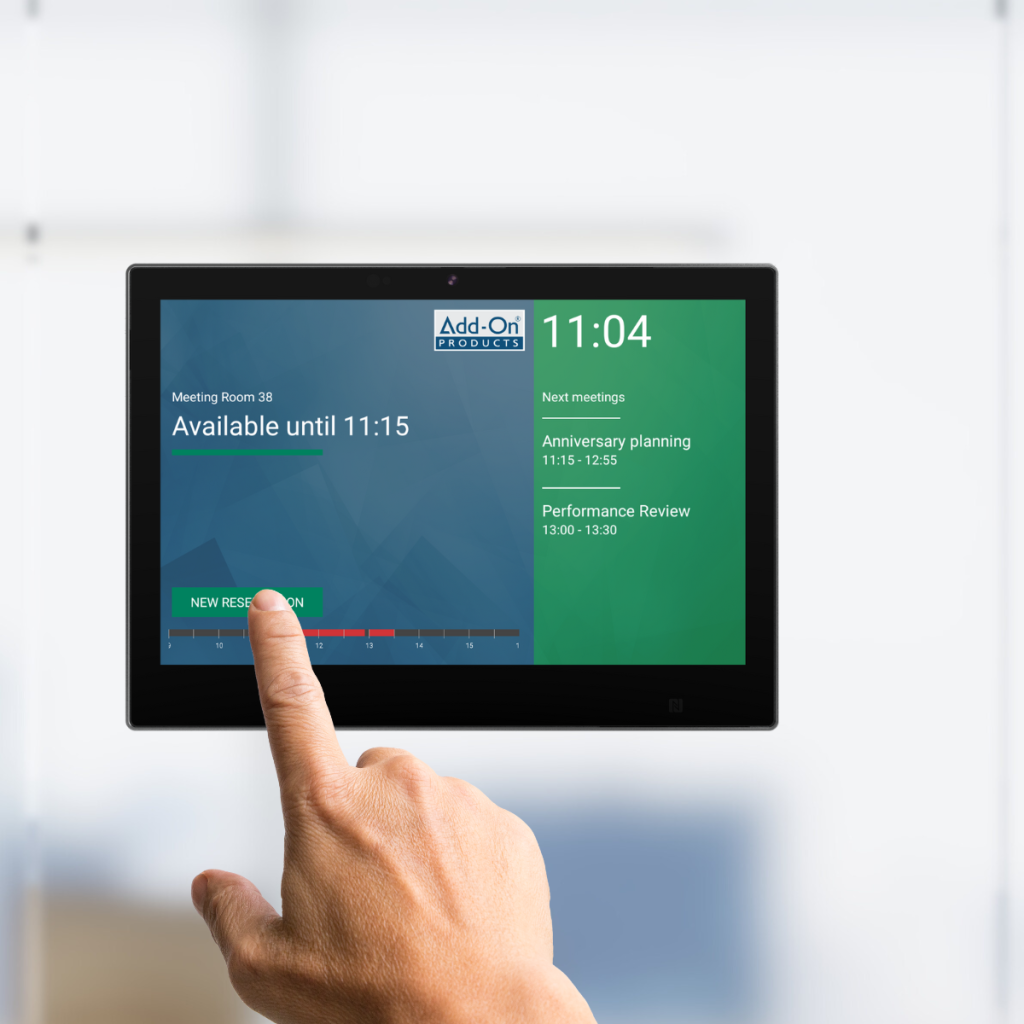
Drive operational savings
Workplace signage can drive cost savings across the board by reducing administrative time, eliminating duplicate bookings, enhancing communication, and fostering a more efficient and productive workplace.
Cost Savings: While there is an initial investment in setting up digital signage infrastructure, it can lead to long-term cost savings. Visible real-time updates about workspaces and daily events can help keep employees on-task, on-time, and reduce costly no-shows and double-bookings. Digital content can also be easily updated from a, single location and distributed through the centralized web-based dashboard, making it easy to keep your tech stack streamlined.
Contact us to discuss which solution could be the best for your company.

Meeting details
The digital meeting and conference room sign solution keeps employees and visitors informed of current and future meetings taking place in the room. Digital Sign Client eliminates confusion regarding who booked the room or whether the room is available.
Digital Sign Client seamlessly integrates your signs with the Microsoft platform. When you book a meeting in Outlook®, the meeting information is automatically displayed on the appropriate meeting room sign. You can also reserve a room or change a meeting by using the touch display outside the conference room.
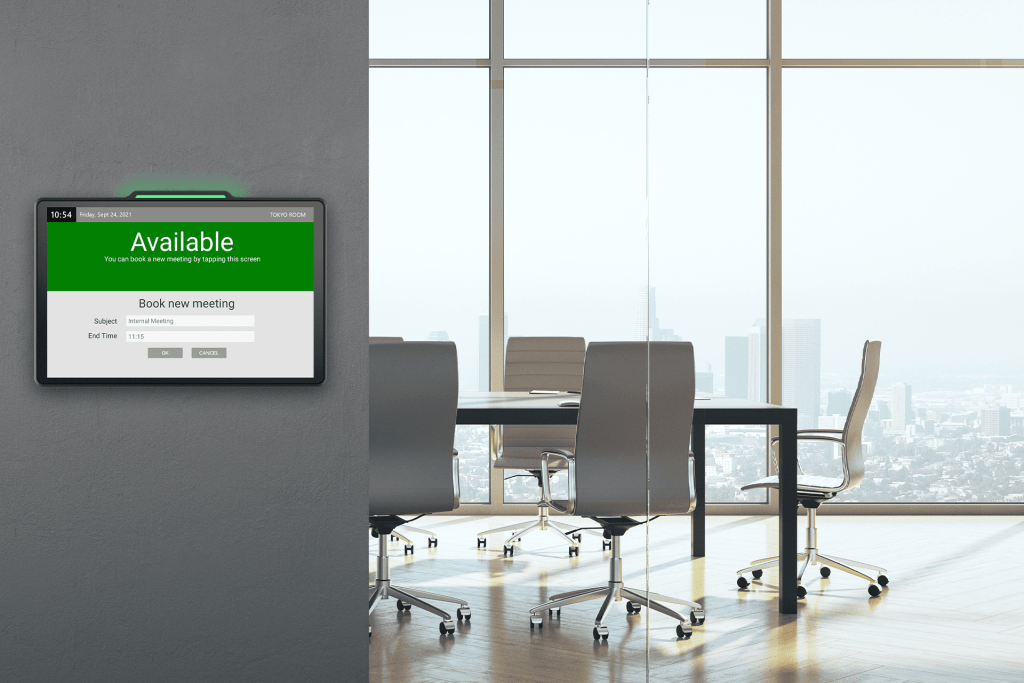
Highlights
Communication
Digital signage improves your company’s internal and external communication. Guests and employees can easily determine if they have found the correct meeting room, and real-time updates ensure that they don’t enter the wrong room due to last minute changes.
You can configure the digital meeting room signs to display video or background images with your corporate branding or other relevant information.
Meeting directory | Display meetings for more rooms
View meetings for several meeting and conference rooms around the facility on one sign. With Digital Sign Client, you can get an updated overview of all current and upcoming meetings taking place, to display in reception or common areas.
Visitors and staff can easily locate their meetings and colleagues always have an up-to-date overview of all meetings and information about available rooms and resources.
Available as a complete solution that includes hardware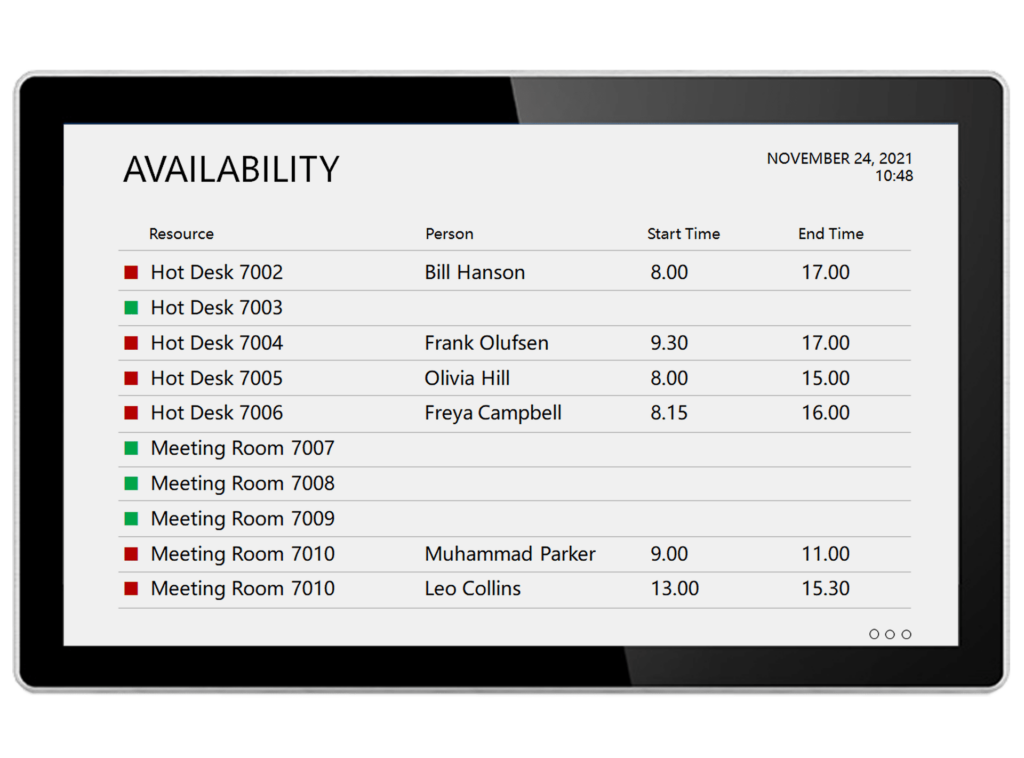
Manage all digital signs remotely
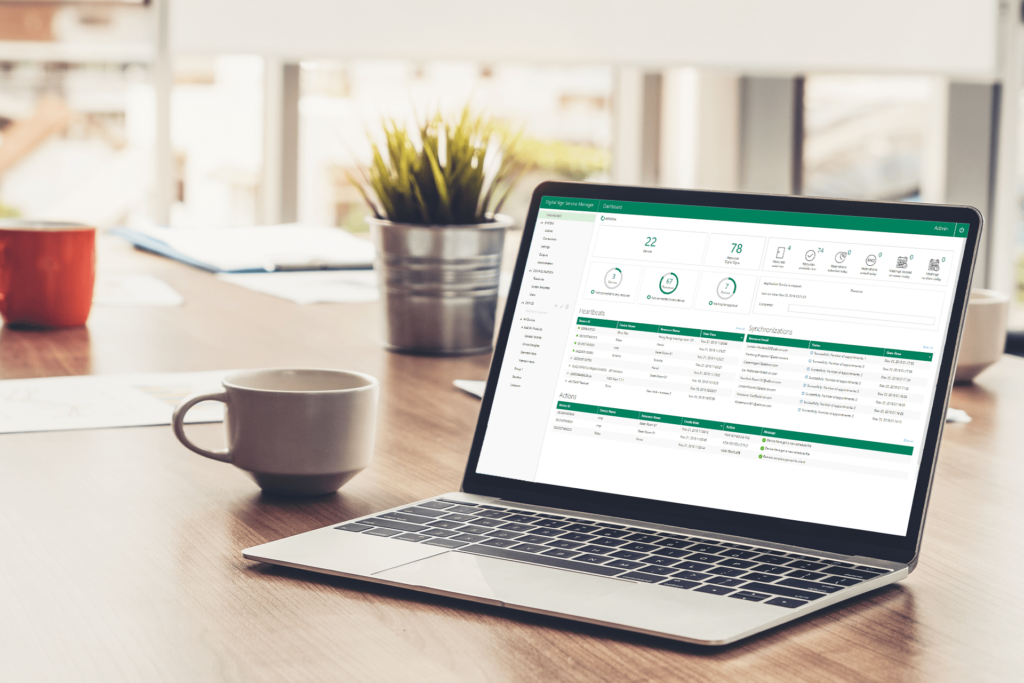
Manage your digital meeting and conference room signage remotely from a single, centralized location, through a web-based dashboard. The dashboard is updated in real-time and provides a quick overview of valuable data, such as number of digital signs in use, meeting no shows, extended or ended reservations etc. You can also activate a new layout for a group of signs, with just a few clicks.
The digital room signage management system also has a heartbeat status feature, so you can quickly tell which of your digital signs are online or offline without having to access each sign directly.
User-friendly template editor
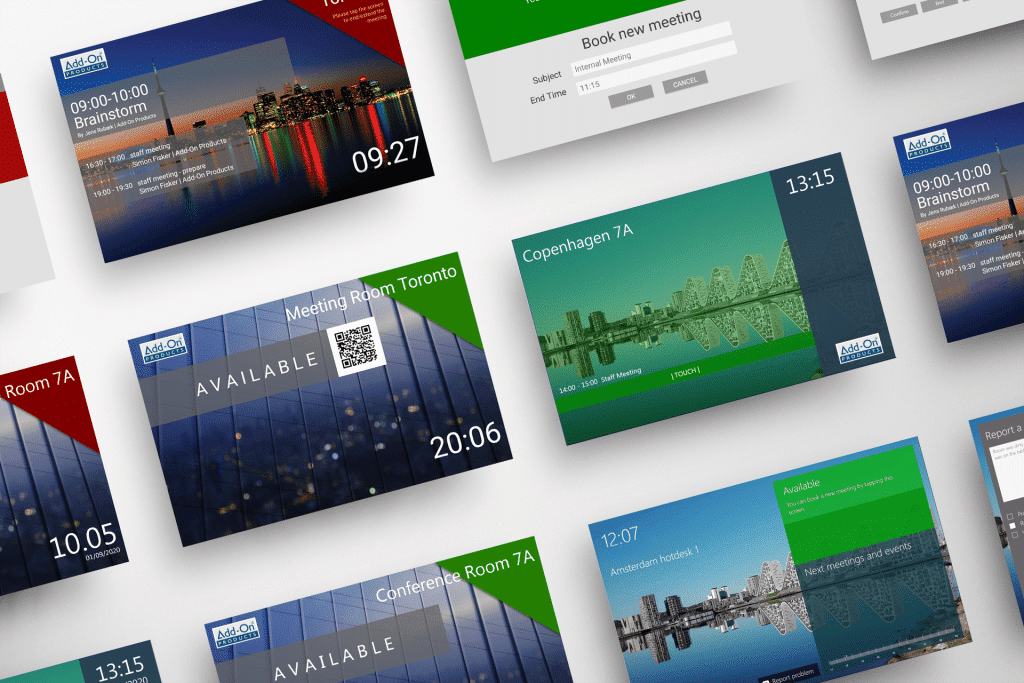
With the built-in template editor, you can easily create a unique layout for your digital meeting and conference room signs, that’s adapted to your company’s logo, colors, font and images, to fit the branding of your organization. It is also possible to get a customized template designed or to use the sample templates included.
With the centralized web-based dashboard you can quickly update the layout on your digital room signage from one single location.
RFID authentication
Enhance security and accountability by requiring users to identify themselves using an RFID card in order to confirm meetings or set up new meetings directly on the sign. If the organizer does not show up and confirms the meeting, the room is automatically freed up for others to use.
With RFID card reader-enabled digital signs, your meeting room signs can optionally be restricted to authorized cardholders. This prevents people from changing meeting bookings that aren’t their own or using conference rooms without authorization.
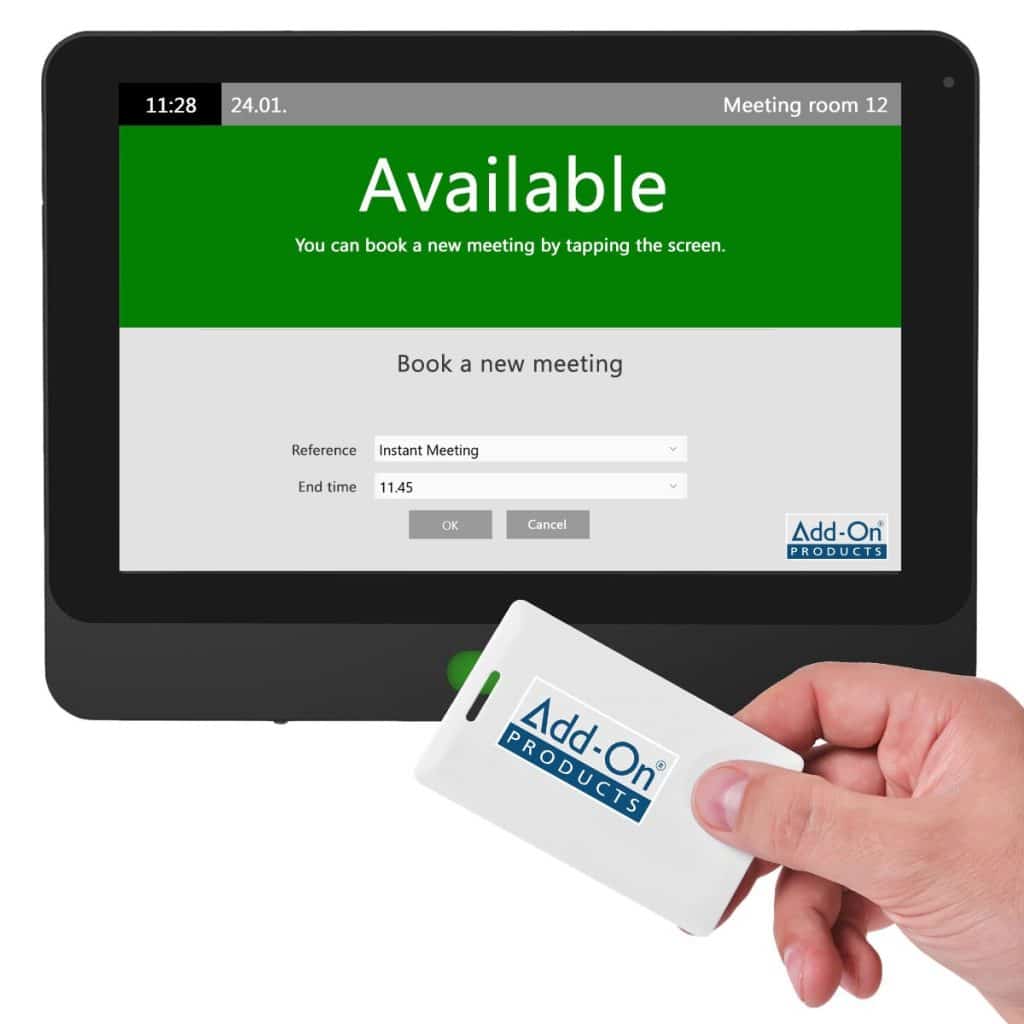
Digital meeting and conference room signage with pre-installed software
We have carefully selected specific technology partners to work with, allowing us to offer high-quality signs seamlessly integrated with our meeting and conference room sign software.
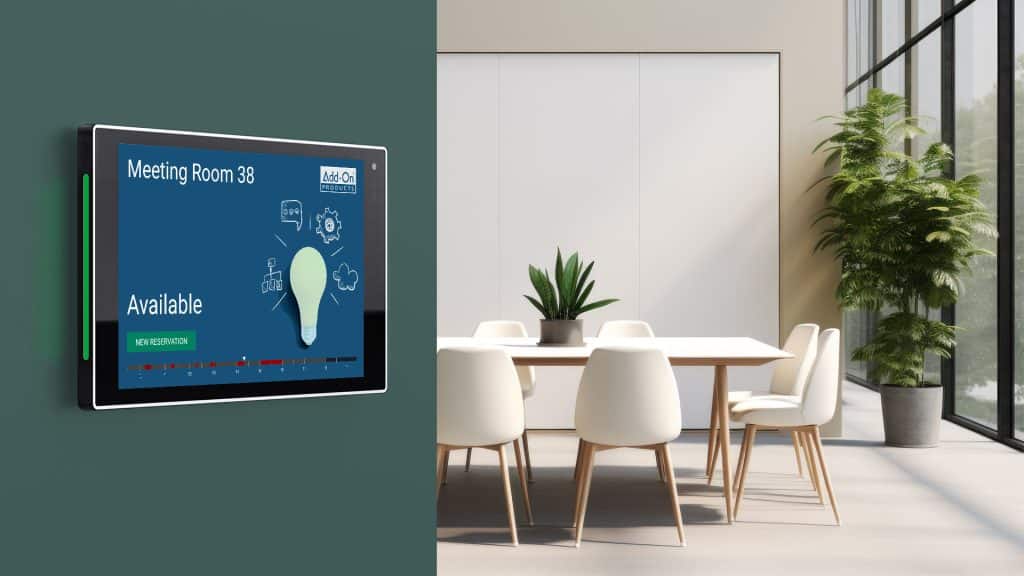
With our meeting and conference room signs, you can create, confirm, and edit meetings directly on the sign – making ad-hoc room booking easier for you. With the display’s status-light informing of room availability, you can easily determine, from a distance, whether the meeting room is available.
Contact your local reseller or us directly for more information.
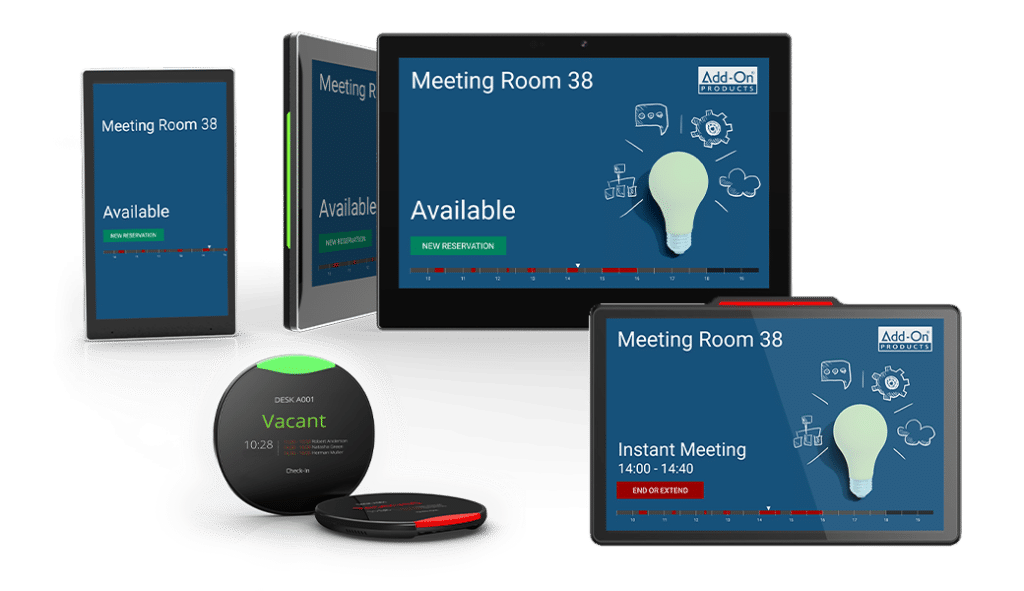
Hardware independent
Want to source your own hardware? Choose from hardware based on iOS, Android or Windows for your digitial meeting and conference room signs.
It is also possible to buy hardware directly through Add-On Products or your local reseller. We offer a range of quality hardware in modern designs, pre-installed with our Digital Sign Client software – including meeting and conference room signs, larger signs for meeting overview and desk booking signs.
Technical requirement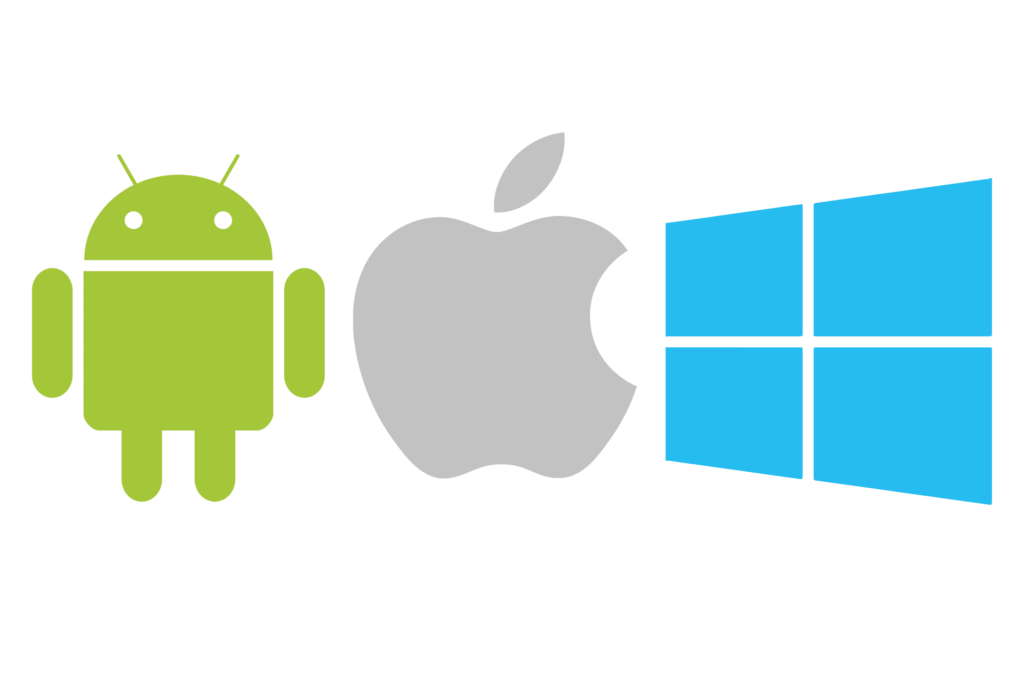
Choose your preferred solution
Combine digital signage with meeting room booking software
Combine our meeting and conference room signage software with our meeting room booking system for Outlook®, Resource Central, and get a complete meeting management solution. You can also combine it with the Workspace Booking App.
The complete solution will provide your company with opportunities such as quick meeting room booking with ordering of catering and services, visitor management and meeting information displayed on digital signage.

Contactless booking experience with QR code
Get a contactless booking experience of meeting rooms, desks, and other resources with a touchless solution. Keep your workplace safe for everyone by touching as little as possible. Book your resources using low-cost, printable QR codes on desks, outside of meeting rooms and other resources.
Scan the QR code for a resource with our easy-to-use mobile app, Workspace Booking, to determine its availability or book it on the spot. Download our app for Workspace Booking to your smartphone for a full-fledged meeting and desk booking app at your fingertips.
Read more about our Workspace Booking App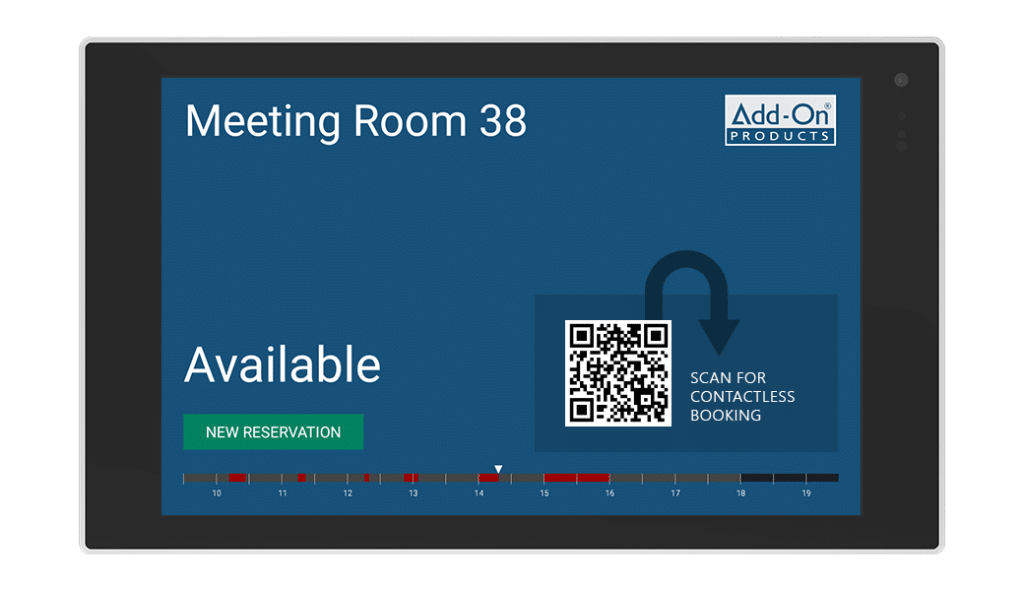
Workspace booking display
With our workspace booking solution you can easily view availability on workspaces / hot desks. Create, confirm, extend, and end bookings directly on the workspace booking screen and maximize the use of flexible workstations.
Our desk booking display, has a modern and elegant design with built-in LED status-light, and can be used for all types of workspaces – including hot desks and conference rooms.
Read more about our workspace booking screens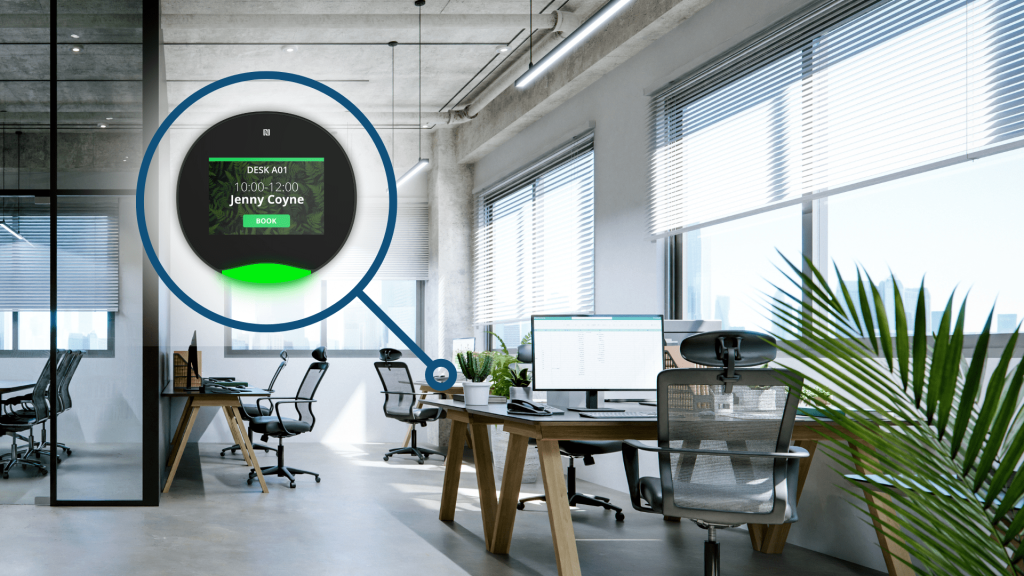
Digital meeting and conference room sign solution delivered as SaaS
Digital Sign Client and DS Service can be installed either on-premises, in your own cloud or in Add-On Products’ cloud as a full Software as a Service solution.
Add-On Products’ cloud is built on Microsoft Azure, providing a scalable platform architecture centrally managed and supported by our own experienced staff.
Read more about our Software as a Service →
Feature List
-
View current and upcoming meetings
-
Create, confirm and edit meetings directly on the sign
-
Color coding: showing meeting room availability
-
One-touch booking to start / end meetings
-
Manage all your digital signs remotely from one location
-
Centralized web-based dashboard
-
Built-in template editor
-
Sample templates included
-
Pin-code protection for accessing the sign
-
RFID card-reader for enhanced security
-
Desk booking sign with LED status-light
-
View meetings for more rooms on one display
-
Support for multiple time zones
-
Integration to Microsoft Exchange and Microsoft 365
FAQ - Digital Signage
What is meeting and conference room digital signage?
Meeting and conference room digital signage is a modern solution for streamlining your company’s meeting schedules. By installing digital signage, you can display ongoing meetings, identify their hosts, and indicate their expected duration on interactive screens outside meeting rooms.
The meeting room digital signage synchronizes with the company’s calendar booking system, such as Resource Central, to automatically update with new meetings or schedule changes. This allows organizations to maximize the use of their conference rooms and reduce interruptions caused by unexpected meeting conflicts, because there are no more double bookings and less confusion.
Meeting room digital signage goes beyond simply displaying room reservations. Equipped with advanced technology, these signs can provide real-time status of the meeting, whether it’s in progress, delayed, or over. They can also be integrated with other systems to display important announcements, present the day’s agenda, and even help guests find their way around the building. This form of digital signage can improve communication and productivity in the office environment.
What hardware options are available for digital conference room signage?
Add-On Products can provide a complete meeting management solution with digital signage. The complete solution will provide your company with opportunities such as quick meeting room booking with the ordering of catering and services, visitor management and meeting information displayed on the digital signs.
Your signage can run on hardware based on iOS, Android, or Windows. You can choose your own devices or purchase preconfigured, high-quality room signs and larger displays from Add-On Products or local resellers. All hardware options synchronize seamlessly with Digital Sign Client.
Our range of digital signage includes:
– digital meeting room signs for Microsoft Exchange and 365, where it is possible to book, confirm, extend, and end meetings directly on the sign or book using the calendar software. All information is automatically synchronized with the Exchange Server, ensuring real-time information.
– desk booking screens, which can double as meeting room booking displays, making workspace management easy. You can identify and book available workspaces from the desk screen, your mobile device, or Microsoft Outlook®.
– dynamic digital signage software to promote your company and make visitors feel welcome by informing everybody with a current overview of the day’s events, meetings, and other activities. Content that you can display on your digital signage includes videos, pictures, and RSS feeds.
How does digital conference room signage integrate with Microsoft Exchange and Microsoft 365?
Digital Sign Client integrates natively with Microsoft Exchange and Microsoft 365. Any meeting created or updated in Outlook® is automatically synchronized to the correct meeting room sign. If a meeting is extended, ended, or booked directly on the display, the change is instantly pushed back into the Exchange Server. This ensures the room status is always accurate and prevents double bookings.
Can I manage all digital signs from a central dashboard?
Yes. Add-On Products offers a centralized, web-based dashboard where administrators can monitor all digital room signs, update layouts, upload branded templates, push new content, and track the status of each device in real time. The heartbeat feature also shows whether each sign is online or offline.
Do the digital room signs support custom branding?
Absolutely. You can customize the design of your digital signs using the built-in template editor. Logos, colors, backgrounds, fonts, corporate videos, and room names can all be tailored to match your organization’s brand identity. You can update branding across multiple signs at once from the central dashboard. This makes the displays multifunctional for communication, not just scheduling.
Can users create or modify bookings directly on the conference room sign?
Yes. With Digital Sign Client, users can create, confirm, edit, extend, or end meetings directly on the touch display outside the room. These actions immediately synchronize with Outlook® and Microsoft 365, ensuring room availability is always up to date.
Does the digital signage support RFID or secure authentication?
Yes. RFID authentication can be enabled on supported hardware. This ensures only authorized users can confirm or create meetings on the sign. If a meeting organizer does not check in using their RFID card, the room is automatically released, minimizing no-shows and improving room utilization.
What People Say
“We have a lot of infrastructure, including a lot of meeting infrastructure. And I have to say, now three years after implementation, I think it’s impossible to imagine the organization without Resource Central.”
Annemie Glorieux, Responsible Space Planning
UZ Leuven, Belgium
“From an IT and Digitalization perspective, Add-On Products has been a competent supplier for 10 years. They have provided great input in relation to future development of the solution in accordance with Aarhus Municipality's needs. Most recently they have assisted in an innovative booking project that will make the solution available to a completely new user group.”
Søren Laursen, Chief Consultant
Aarhus Municipality, Denmark
“Our staff are very comfortable using Resource Central to manage their diaries and meetings.”
Ian Scullion, Project Manager
Manchester Primary Care Trust, UK
“The main reason we chose Resource Central is that it supports multiple companies and is easy to use and operate. Having a single solution for all the companies to operate has been a real benefit.”
Svein Arne Hammersland, Manager ICT
Sparebanken Vest, Norway

“The Outlook Web Access capability and reporting and auditing are key features that attracted us to this product.”
Maria Eisenberg, CTO
Calgary Health Region, Canada
“"Our staff was anxious about switching to a new booking system, but they have been very pleased with Resource Central."”
Valerie Weddell, Project Manager/Business Analyst
Multiple Sclerosis Society of Canada
“Ariadne’s features put the product in a class of its own compared to other digital signage solutions.”
Andreas Gemperle, Technical Consultant
Habegger, Switzerland

“In the past it took at least half an hour to organize a meeting; now it takes a few minutes.”
Inge Hansen, IT-Coordinator
University of Southern Denmark
“Thanks to Exchange Central our customers receive better service and we use fewer resources in serving them.”
Jens Erik Rasmussen, Head of IT
TOPNORDIC / ATEA Group, Denmark
“Exchange Central was easy to install and has functioned without any problems ever since.”
Flemming Brink, IT Manager
Municipality of Vejle, Denmark
“We have almost 6,000 employees using Add-On Products’ booking system, though many don’t realize it.”
Tina Lund Bonne, Technology Consultant
Ørsted, Denmark
“Thanks to the implementation of flexible working, Genesis expects to save £1 million year-per-year.”
Jenny Quigley, Project Manager
Genesis Housing Association, UK