
5 Benefits of Hot Desking for Companies and Employees
Read article
Benefits
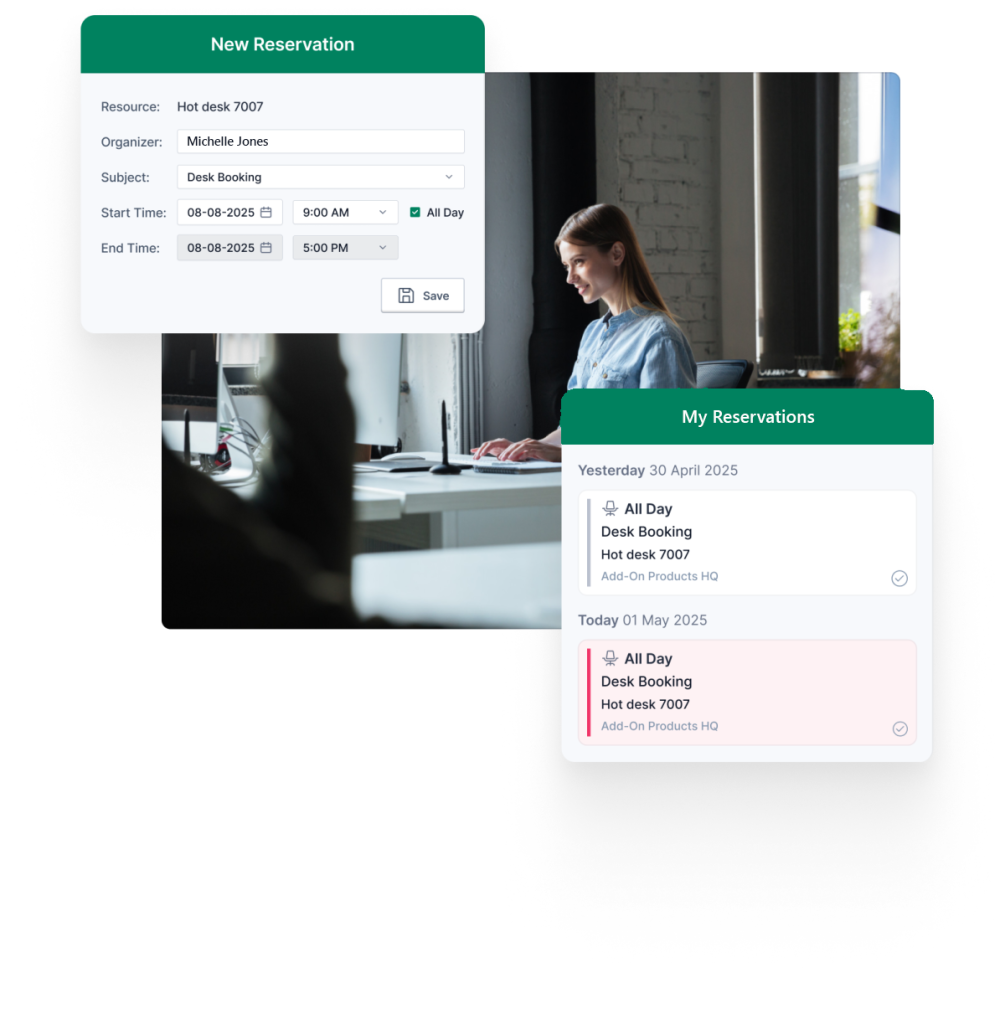







Maximize the use of workspace and reduce costs
Hot desking is a great solution for businesses that have many part-time employees, remote employees, or employees that spend a lot of time out in the field. Hot desking helps to improve efficiency and cut costs without sacrificing customer service or the comfort of your workforce.

In modern offices, a growing number of employees only spend a fraction of their time at their desks. To maximize the use of workspace and reduce overhead costs, many companies are turning to hot desking, a workspace sharing approach that leads to better collaboration, fosters teamwork, and enhances flexibility.
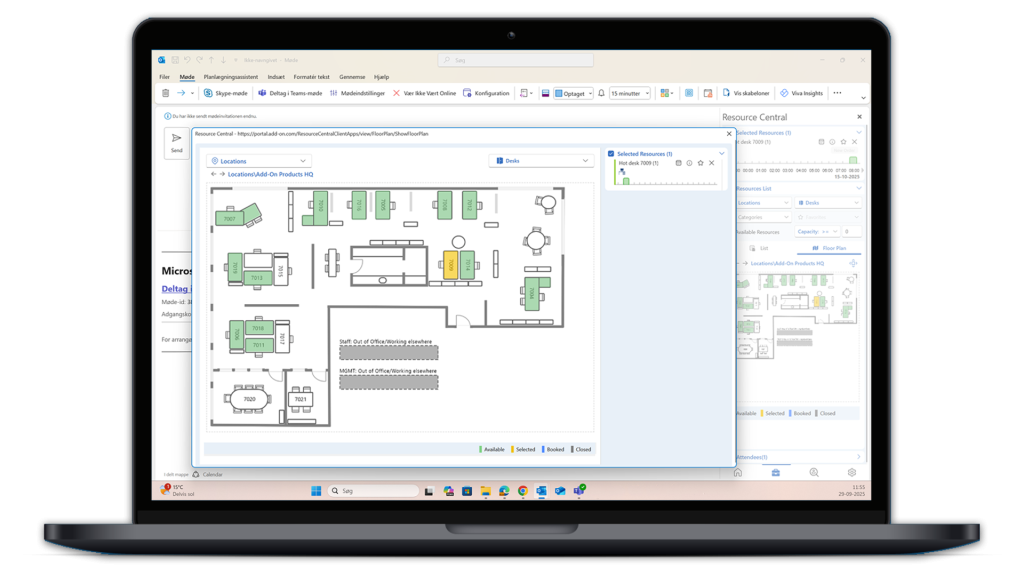
Resource Central’s hot desk booking feature helps organizations simplify the management of flexible workspaces. Resource Central integrates with Microsoft 365 and Exchange, allowing you to seamlessly schedule and manage hot desks through standard Microsoft Outlook® interface.
Resource Central enables you to easily book workstations and services, as well as other types of resources, including conference rooms, parking spaces and equipment.
Benefits of the hot desk booking feature can include:

The system makes it easy for employees to adapt and use the hot desk booking system quickly:
Easy setup & no training required: the system is based on familiar Microsoft tools, which requires minimal training.

The system protects employee data and complies with security standards:

Resource Central has the look and feel of your standard Microsoft Outlook® environment. The desk booking feature in our resource booking system, enables your staff to work more efficiently in a shared workspace. It can be difficult for staff to adjust to new booking procedures, but the transition is much easier and far less stressful if you implement a well-known look and feel system that helps you organize and manage workspaces more efficiently.
Resource Central seamlessly integrates with Outlook® and Microsoft 365, so users can get up to speed almost immediately, with no end-user training required.
Read more about our meeting room booking system.

More companies are focused on flexible working, where fixed workstations are no longer commonplace. Efficient and easy-to-use desk booking solutions are becoming a way to control work environments in offices to ensure available workspaces for all colleagues.
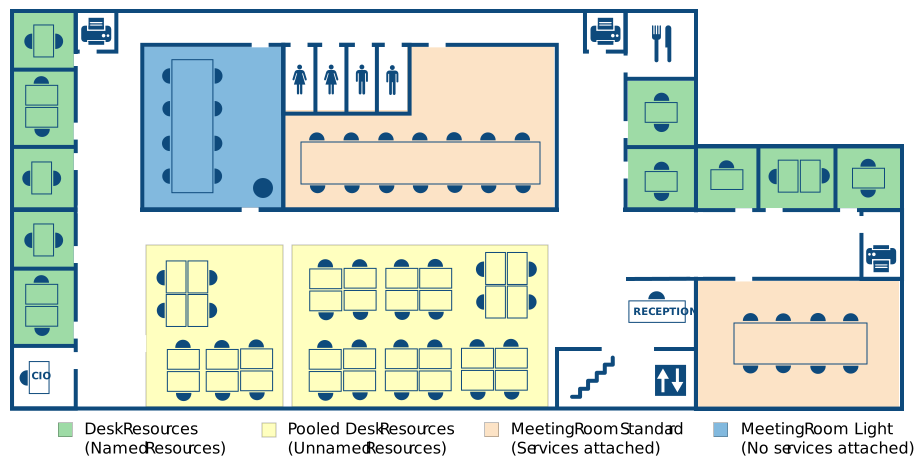
With pooled resources you can book a desk that is part of a group of resource, instead of a desk with its own specific calendar. When you arrive at the office, you will be able to choose any free desk within your booked pool. Use pooled resources for desks, parking spaces or any other equipment.
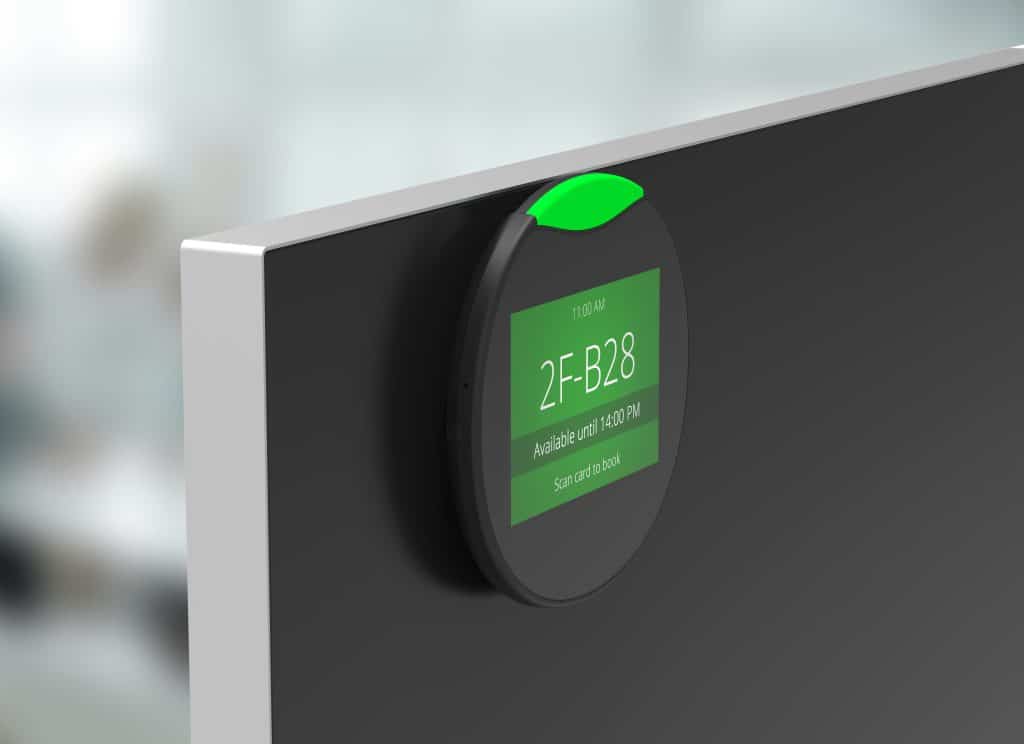
Our digital desk booking screens make workspace management easy. Simply locate an unoccupied desk and tap the touch screen or scan your RFID access card to book the desired workspace. Mount the screens to desks for enhanced visibility for workspace occupancy status and ease of use.
Our desk screens integrate with Microsoft Exchange / Microsoft 365®, making sure schedules are updated automatically in real-time. With the centralized web-based dashboard, you can get insights and reports of your workspaces to help monitor and optimize how they are being used in your organization.
*Workspace displays support Standard and Light resources.
Read more about our desk booking screens.
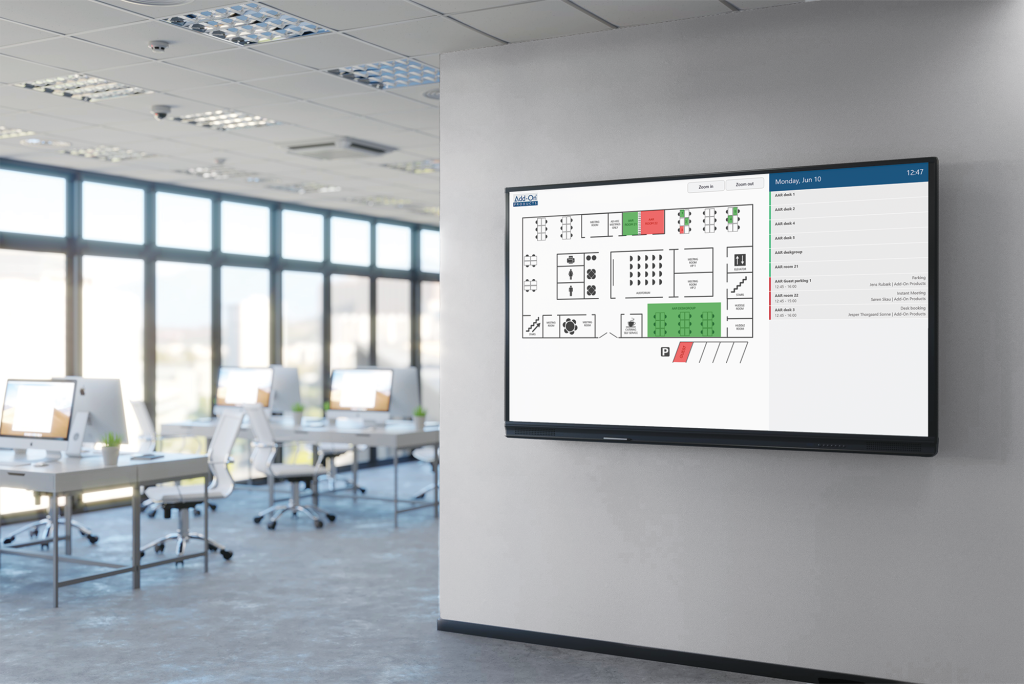
From a floor plan on our Kiosk, you can easily view and book available desks. It gives you a complete overview and quick availability. Place your overview booking screen in reception areas or entrance ways to where your desks are located.
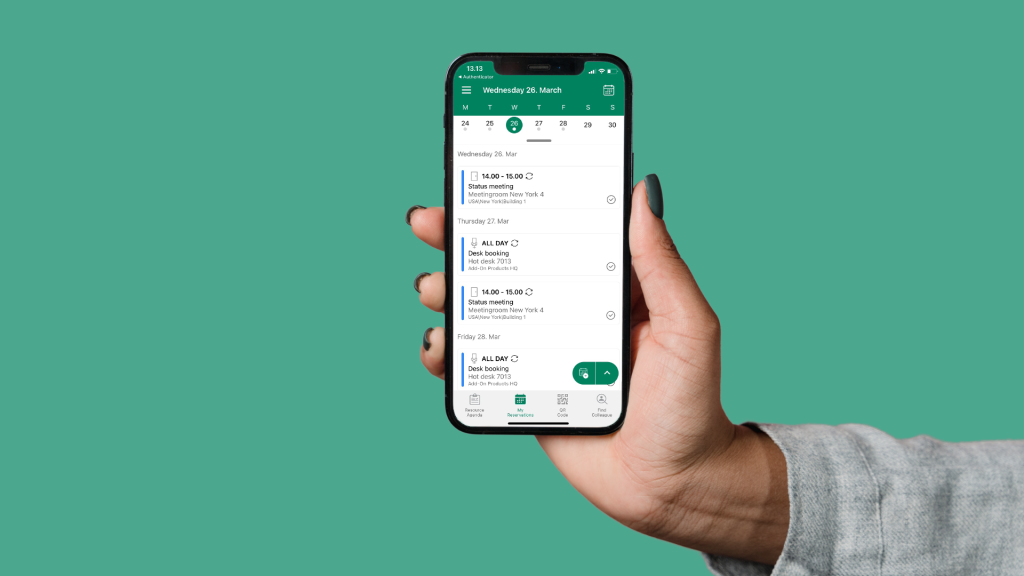
Book hot desks, workspaces, and meeting rooms directly from your smartphone or tablet with the Workspace app for iOS and Android:
Read more about our Workspace app.
A Hot Desk Booking System is a software solution that allows employees to reserve shared desks flexibly. Instead of having assigned desks, employees can choose an available desk when they come into the office, or beforehand, enabling organizations to maximize the use of office space.
Hot desking is a flexible seating arrangement where employees can work from any available workspace in a shared office. With hot desk booking software, employees can reserve a desk in advance or on demand. The system provides always-updated availability for desks and automatically syncs with the company’s calendar system, such as Outlook® or Microsoft 365, to ensure there are no double bookings.
They check in at the office using software such as Resource Central, a mobile app like Workspace, or via interactive desk booking screens in the office. The software then assigns a desk based on availability or the employee’s reservation.
Hot desking encourages collaboration among employees from different teams, fostering networking opportunities. When leaving, employees check out through the software or automatically through a sensor solution, freeing up the workspace for others.
Hot desking optimizes office space utilization, promotes mobility, and enhances productivity. It provides flexibility for employees to choose a workspace that suits their needs, creating a dynamic work environment.
Hot desking offers efficient workspace utilization, fosters collaboration, reduces costs, boosts employee satisfaction, enables adaptability, and contributes to environmental sustainability. By implementing hot desking, you can gain various benefits, including:
Read more about hot desking in our blog articles.
Yes, we offer a free demo of our Hot Desk Booking System. Schedule a demo today to get a full walkthrough of the system’s features and see how it can optimize your workspace.
Request a demo on our website and enter your details in the form by contacting us here.
Yes, our Hot Desk Booking System is fully accessible via a mobile app for both iOS and Android. Employees can quickly reserve a desk, check booking status, and find available spaces directly from their smartphones.
Our system is designed to integrate seamlessly with Microsoft 365, Outlook®, and Teams, allowing employees to book desks directly from the platforms they already use. This ensures a streamlined and efficient process without requiring additional time for training or adapting to new tools.
“We have a lot of infrastructure, including a lot of meeting infrastructure. And I have to say, now three years after implementation, I think it’s impossible to imagine the organization without Resource Central.”
Annemie Glorieux, Responsible Space Planning
UZ Leuven, Belgium
“From an IT and Digitalization perspective, Add-On Products has been a competent supplier for 10 years. They have provided great input in relation to future development of the solution in accordance with Aarhus Municipality's needs. Most recently they have assisted in an innovative booking project that will make the solution available to a completely new user group.”
Søren Laursen, Chief Consultant
Aarhus Municipality, Denmark

“Our staff are very comfortable using Resource Central to manage their diaries and meetings.”
Ian Scullion, Project Manager
Manchester Primary Care Trust, UK
“The main reason we chose Resource Central is that it supports multiple companies and is easy to use and operate. Having a single solution for all the companies to operate has been a real benefit.”
Svein Arne Hammersland, Manager ICT
Sparebanken Vest, Norway

“The Outlook Web Access capability and reporting and auditing are key features that attracted us to this product.”
Maria Eisenberg, CTO
Calgary Health Region, Canada
“"Our staff was anxious about switching to a new booking system, but they have been very pleased with Resource Central."”
Valerie Weddell, Project Manager/Business Analyst
Multiple Sclerosis Society of Canada
“Ariadne’s features put the product in a class of its own compared to other digital signage solutions.”
Andreas Gemperle, Technical Consultant
Habegger, Switzerland
“In the past it took at least half an hour to organize a meeting; now it takes a few minutes.”
Inge Hansen, IT-Coordinator
University of Southern Denmark
“Thanks to Exchange Central our customers receive better service and we use fewer resources in serving them.”
Jens Erik Rasmussen, Head of IT
TOPNORDIC / ATEA Group, Denmark
“Exchange Central was easy to install and has functioned without any problems ever since.”
Flemming Brink, IT Manager
Municipality of Vejle, Denmark
“We have almost 6,000 employees using Add-On Products’ booking system, though many don’t realize it.”
Tina Lund Bonne, Technology Consultant
Ørsted, Denmark
“Thanks to the implementation of flexible working, Genesis expects to save £1 million year-per-year.”
Jenny Quigley, Project Manager
Genesis Housing Association, UK