Meeting room and conference room displays can inform, engage, and guide better than text-only communications
When it comes to helping visitors and employees better navigate the office, digital signage solutions can go a long way in driving both the visibility and efficiency of workspace availability and usage. Both meeting room displays and conference room displays offer beautiful visuals, and these are more likely to grab the attention of visitors and staff than static text-only signage.
Top ways to use meeting and conference room displays
Some of the most popular ways to use digital meeting room and desk displays include:
- Provide a quick and easy way to view workspace and room availability
- Report workspace needs or issues to resolve
- Book, confirm, and edit meetings directly on the touch screen
- Optimize meeting and conference room utilization
- Promote company branding and news
- Enhance and support on-site security with clearer guidance, important messages, and any room restrictions
Read more about each of the benefits of using digital meeting room displays here.
How to Best Use Digital Meeting Room Displays
With these benefits in mind, what are some ways to use digital displays for meeting rooms and conference rooms?
How can you best tap into each of the above benefits? What customization considerations do you need to keep in mind? Do you also need to consider desk booking screens alongside larger display signs?
Below, we look at four ways we recommend using meeting room displays and conference room displays to improve communications, understanding, flow, and efficiency.
1 – Customize displays to match your company’s brand and display critical information
There are a variety of options available for customizing our digital conference room displays. Some are visual, while others are technical. Both offer opportunities to enhance workspace oversight and to streamline management and bookings.
Brand consistency: Digital meeting room displays can be an easy way to match and support a company’s brand recognition. Add in company logos, colors, fonts, and images to existing or custom sign templates.
Showcase brand values or events: Configure signs to display videos or background images that showcase your corporate branding. You can also create special visuals to promote or support specific events.
Deliver critical information: Finally, customizing meeting room displays to showcase important messages and updates is an easy way to make sure both visitors and employees are up to speed. From event notices and room announcements to security updates or process changes, the visual aspect of our room displays helps to capture and keep attention better than static signs or text-only messages (or so many of our customers tell us).
2 – Guide visitors and employees throughout the workplace
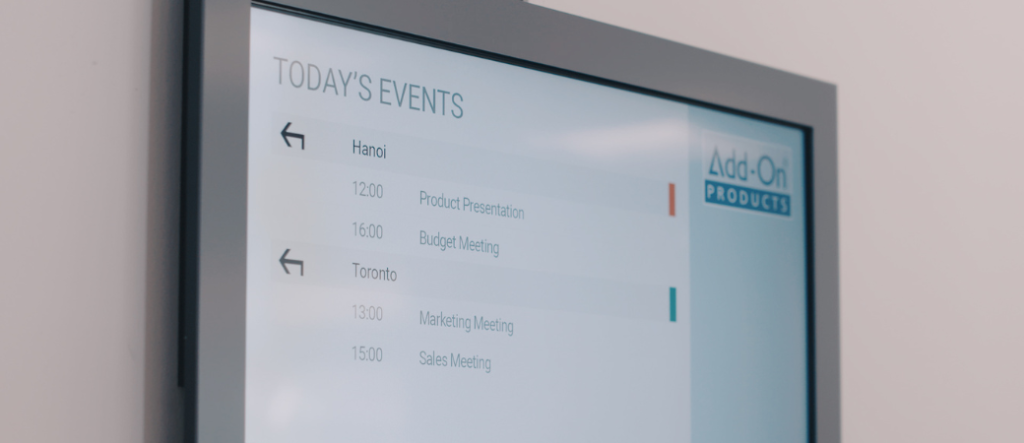
Another great way to use meeting room displays is to facilitate the workplace flow. This is especially valuable for companies with multiple locations where employees may need to routinely travel and work in different offices. The two ways our clients do this include:
- Booking and editing meetings directly on displays
- Guiding visitors and staff throughout the workplace
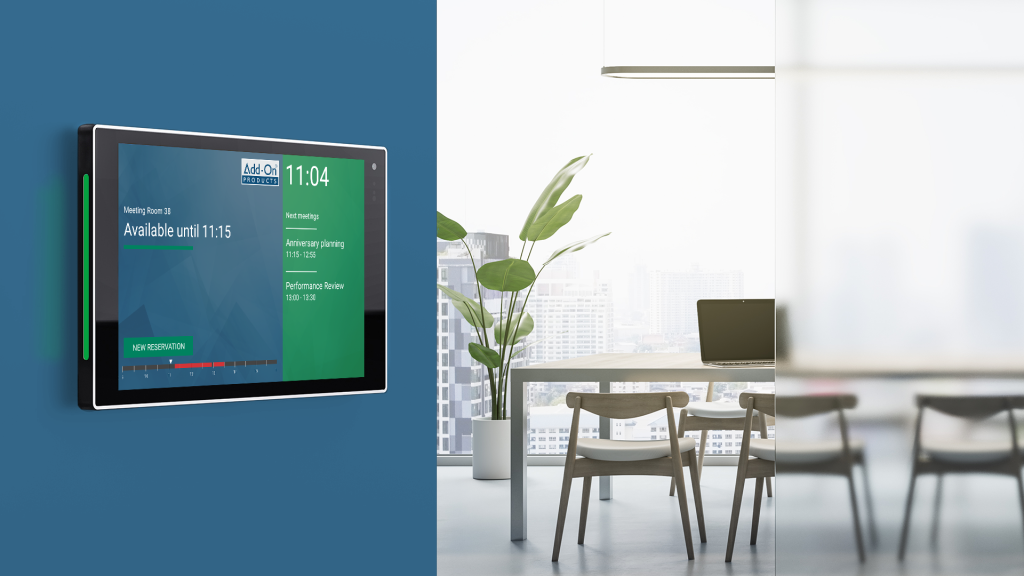
Add-On Products’ Digital Sign Client helps do this. Digital Sign Client helps you ensure guests and employees find the right meeting room with meeting room naming and real-time updates. Displays can also be configured to relay other relevant information or to serve as a meeting directory for viewing a list of events in several conference rooms around the facility.
Learn more about this feature here.
3 – Promote events, brand awards, and news
Our digital displays are easy to change and customize as needed. As company branding evolves or events come up, changes to visual displays may be needed. With the built-in template editor, it’s easy to create unique digital conference room sign layouts.
- Change up logos, colors, fonts, and images
- Create uniquely designed templates or tap into our library
- Use the centralized web-based dashboard for controlling and updating the layout of digital room signs from one single location
4 – Make the workplace safer and more secure
With many businesses operating a hybrid workplace where employees and visitors are continually coming and going, ensuring security and accountability is paramount. That’s why one of the options available with our digital meeting room and conference room displays is RFID authentication.
With RFID card reader-enabled digital signs, you can restrict access and usage to authorized cardholders. This prevents individuals from changing meeting bookings or using workspaces without authorization. RFID authentication is a great feature for companies hosting events throughout the year to make employees and guests feel safe and secure.
Why Choose Add-On Products’ Digital Displays: Integrates Easily with Existing Technology
One of the benefits of choosing Add-On Products’ meeting room display solutions is that our software supports iOS, Android, and Windows, which allows companies to select the hardware that best matches their existing interior tech setup and design. Digital Sign Client seamlessly integrates digital signs with the Microsoft platform to automatically pull in meetings booked in Outlook onto the appropriate meeting room sign and allows you to make changes via the touch screen feature on the sign display.
Most importantly, our carefully selected group of technology partners enables us to offer a variety of high-quality signs with pre-installed software that work for your business.
Learn more about each of our digital meeting room and conference room display partners below:
Bonus Tip: Combine Desk Booking Screens and Digital Signage for Better Hotdesking
One final tip we’ll offer: consider using desk booking screens alongside meeting room and conference room displays.
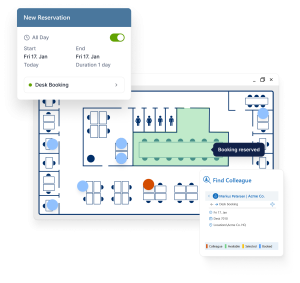
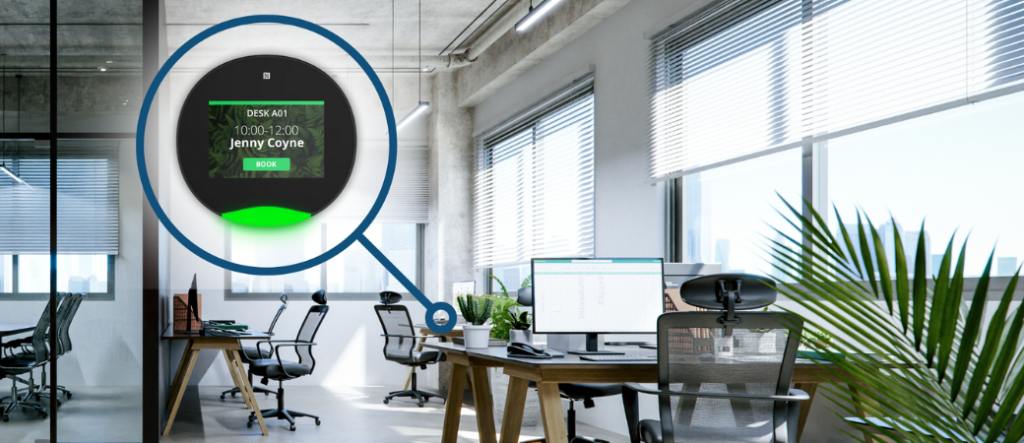
Built for Microsoft Outlook®, Exchange, and Microsoft 365, Add-On Products’ desk booking screens offer a quick and easy booking and workspace optimization solution. They can also act as in-room booking screens, making it easy to manage workspaces on the spot.
Desk booking screens are great to use in offices where digital sign displays are used for informing employees or visitors about the space (name of space, meetings happening or coming up, and occupancy). In this situation, they can act as the primary booking management tool if you wish your meeting room displays to be more informative versus interactive.
Simply locate the unoccupied workspace, tap the touch screen, and book the desired space. Desk booking screens also offer enhanced security options with RFID/Pin-code access. Desk booking screens can also be customized with templates to match company branding such as our digital signage solutions. This provides a seamless and branded experience that leaves employees/visitors with a positive and consistent experience.
Ultimately, digital signage solutions for both inside and outside meeting and conference room spaces can help enhance visibility, improve information delivery, and streamline workspace usage and management.
Want to learn more about available digital meeting room and conference room displays?
Contact us today to get more information about which solutions are right for you.

Free online demo
A member of our experienced team is ready to give you a short demo of any one of our products.