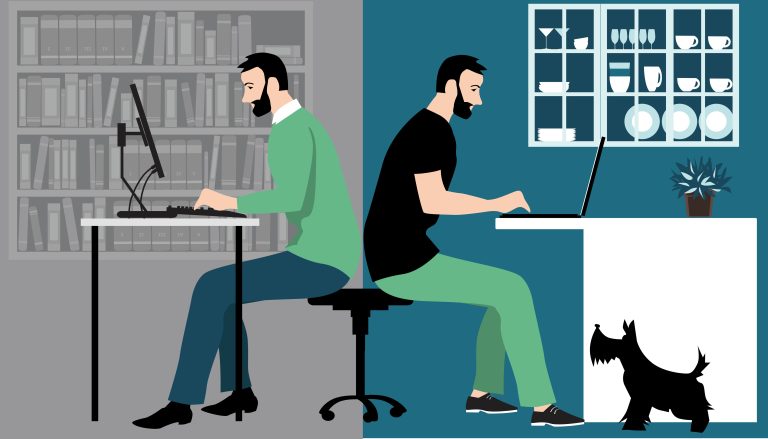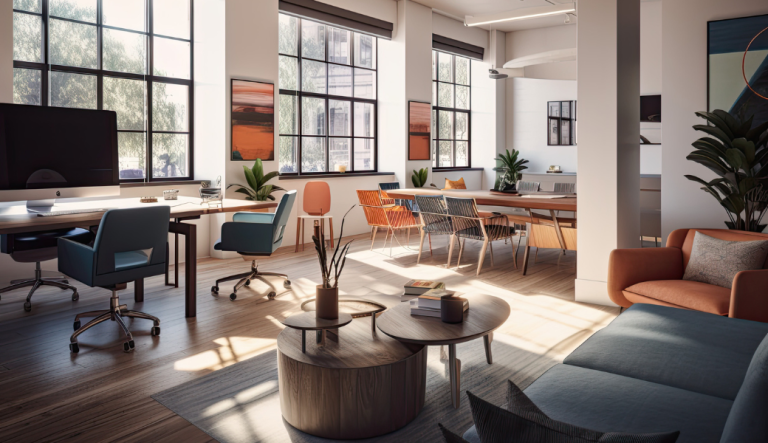
What is a Flexible Workspace Office?
Read article
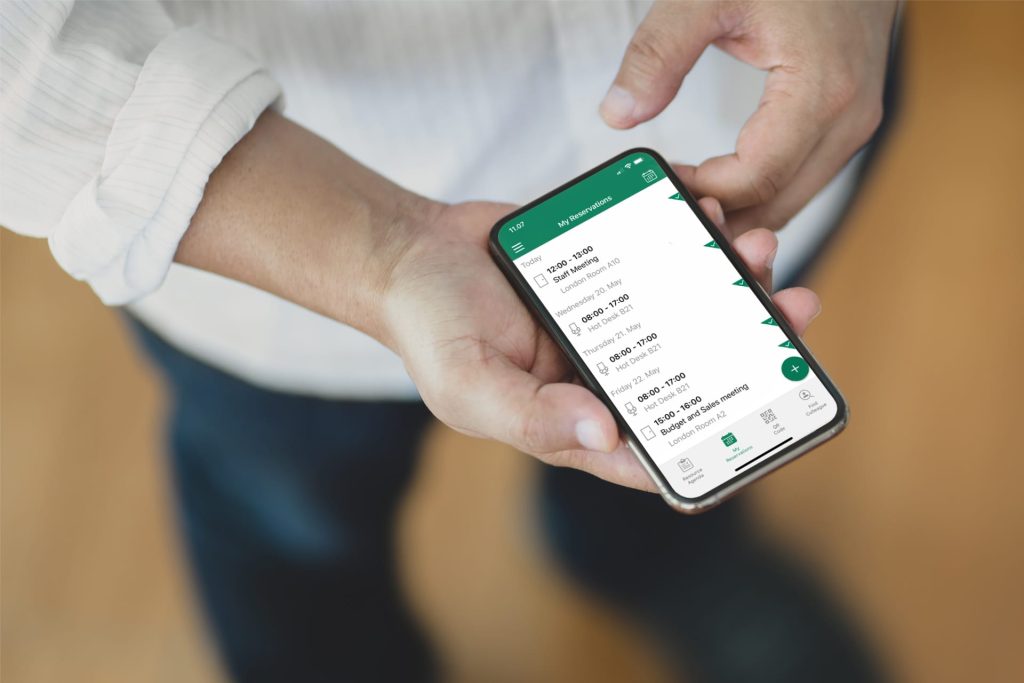
Make flexible work easy with our mobile desk booking software. Easily book and manage desks and workspaces directly on your mobile, iOS, and Android via the Workspace Booking App.







Designed specifically to work with existing Microsoft software solutions, the Workspace app can help you manage your schedule and find the right workspace for your needs whether you’re in the office or on the road.
Use your mobile device to find and book hot desks or workspaces near colleagues, set up “all day” reservations and more.
Workspace brings the power of a full-fledged meeting room and desk booking to your fingertips. The app connects to any mobile device (iOS or Android) and is built to work with existing business Microsoft solutions.
You can search for available workspaces to find a resource that fits your criteria, or you can review color coded floor plans. You can even search to find and book a desk near your team. The app has enhanced in-app and software security and makes flexible workspace management even easier.
Download from App Store
Download from Google Play

The Workspace app makes it easier for employees to thrive in the new hybrid workplace by working directly with their existing Microsoft solutions and mobile devices.
To help provide seamless workspace management, it is important to equip existing office solutions with the ability to embrace new features and procedures. Our products help you do the following:

Floor plans and office maps provide a visual representation of your workplace and make it easier to find meeting rooms. Users can determine availability through color coding and book workspaces right off the floor plan. Simply tap the space you want to book on the floor plan and schedule away.
Administrators of the workspace booking solution can help to enforce social distancing by disabling every other workspace in the floor plan to prevent them from being booked.
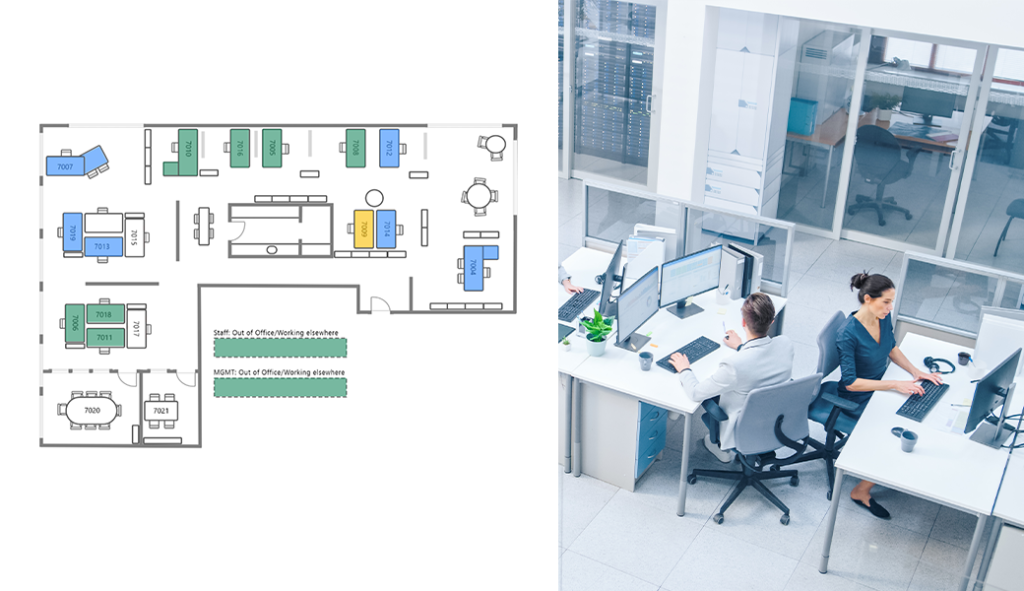
The Workspace booking app is an ideal solution for flexible workspaces where hot desk management is key. Employees can quickly find available hot desks and other spaces from their mobile device in advance. Include huddle rooms and other flexible meeting spaces at your office in the solution to ensure a more casual and collaborative booking approach for a less formal work environment.
Single Sign-On adds an extra measure of security, while advance reservation and status features enable improved time and schedule management. From “all day” and overlapping reservations to custom “Show as” statuses when booking, Workspace makes workspace booking simple.
You can also easily find and book a desk near your team or colleagues with Workspace. Simply search for your colleagues by name to determine exactly where they’re sitting.

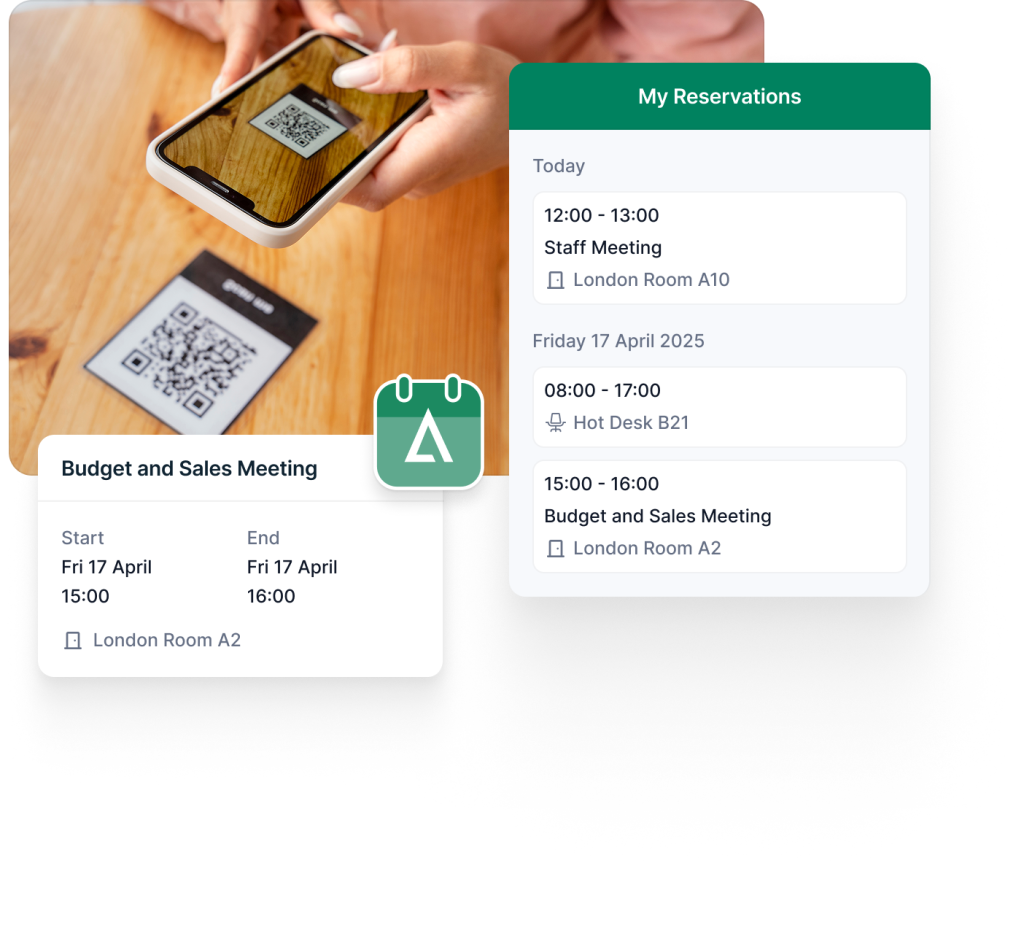
With the Workspace booking app, you can also add QR codes to all resources, such as meeting rooms and hot desks, within your Microsoft infrastructure. When you’re in the office, scan the QR code on a desk or meeting room door with your mobile device to determine its availability or book it on the spot. You can book the resource at the soonest available time or choose a later time and date.
You are not required to put all of the bookings you make through the Workspace booking app on your calendar. Adding reservations to your calendar is optional. This feature comes in handy when you want to book a hot desk for the day, but you don’t necessarily want it to appear as if you’re going to be busy that whole time to others who view your calendar.
See how Add-On Products’ solutions can enhance your business - schedule a personalized demo with our team.

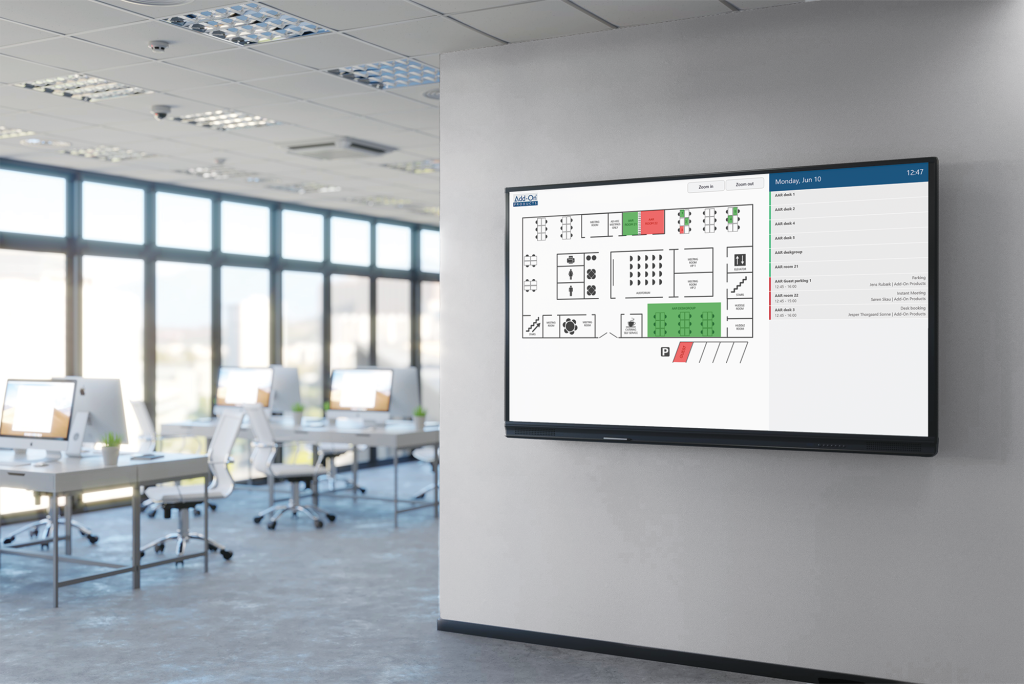
Make it more accessible to book workspaces on-demand by setting up screen kiosks around the office. Kiosks display a color-coded floor plan from which employees can easily view and book open desks.
Booking screen kiosks are helpful for employees who may need to work in differently locations throughout the day. Place overview booking screens in reception areas or entry ways near where desks are located. Doing so can help employees quickly find and reserve open spaces from on the floor.
With Resource Central, our meeting room booking system, you can search for and book available meeting rooms and hot desks by filters and locations directly through Microsoft Outlook®, either in advance or on demand. All your reservations are automatically updated in the Workspace app.
Combining Workspace booking app with Resource Central, allows you to easily manage meetings from start to finish. Additional features include visitor management and booking of individualized catering and other services.
Read more about our Meeting Room Booking System
The choice of a workspace booking app depends on your specific needs, preferences, and the features that align with your organization’s workflow and existing software infrastructure.
We recommend the Workspace Booking App from Add-On Products because it offers a solution for booking and managing workspaces efficiently, with customizable features to suit different organizational needs. It is easy to use, has visual floorplans and integrates fully with your existing Microsoft solution, and can show your reservations in your Outlook calendar.
A workspace booking app offers benefits such as optimized space utilization, flexibility for on-the-go reservations, time efficiency, conflict prevention, improved collaboration, enhanced employee experience, and considerations for health and safety. It streamlines the booking process, fosters workplace flexibility, and contributes to a positive and efficient work environment.
Yes. The Workspace Booking App is built to work directly with Microsoft 365 and Outlook®. Reservations made in Outlook are automatically visible in the app, and bookings made in the app can be added to your Outlook calendar if you choose to. The app also supports Single Sign-On via Microsoft Authenticator, ensuring secure and consistent access across your existing Microsoft infrastructure.
Yes. The app includes a Find Colleague feature that lets you search for coworkers and see where they’re seated. This makes it easier to sit near your team or coordinate with colleagues when you’re working on-site. Colleague reservations can also be displayed in different colors, making them easy to identify on the floor plan.
Yes. You can place QR codes on desks, meeting rooms and other resources, and employees can scan these codes with their mobile device to check availability or book the space instantly. This is particularly useful for flexible or fast-changing workdays where employees move around the office and need to secure a workspace quickly. QR codes can also be used for check-in requirements if your organization wants additional confirmation that a booking is actually being used.
Yes. The app uses Single Sign-On with Microsoft Authenticator and meets Microsoft’s security standards for identity and access management. It also includes enhanced in-app security features and optional check-in requirements to confirm bookings on-site.
Yes. When used together, the Workspace Booking App and Resource Central work seamlessly to give you a complete meeting room and workspace management solution. You can book meeting rooms, hot desks, and services like catering in Microsoft Outlook, and your reservations sync automatically with the Workspace app. This combination makes it easy to manage meetings, visitors, and workspace bookings in one unified setup.

“We have a lot of infrastructure, including a lot of meeting infrastructure. And I have to say, now three years after implementation, I think it’s impossible to imagine the organization without Resource Central.”
Annemie Glorieux, Responsible Space Planning
UZ Leuven, Belgium
“From an IT and Digitalization perspective, Add-On Products has been a competent supplier for 10 years. They have provided great input in relation to future development of the solution in accordance with Aarhus Municipality's needs. Most recently they have assisted in an innovative booking project that will make the solution available to a completely new user group.”
Søren Laursen, Chief Consultant
Aarhus Municipality, Denmark

“Our staff are very comfortable using Resource Central to manage their diaries and meetings.”
Ian Scullion, Project Manager
Manchester Primary Care Trust, UK
“The main reason we chose Resource Central is that it supports multiple companies and is easy to use and operate. Having a single solution for all the companies to operate has been a real benefit.”
Svein Arne Hammersland, Manager ICT
Sparebanken Vest, Norway

“The Outlook Web Access capability and reporting and auditing are key features that attracted us to this product.”
Maria Eisenberg, CTO
Calgary Health Region, Canada
“"Our staff was anxious about switching to a new booking system, but they have been very pleased with Resource Central."”
Valerie Weddell, Project Manager/Business Analyst
Multiple Sclerosis Society of Canada
“Ariadne’s features put the product in a class of its own compared to other digital signage solutions.”
Andreas Gemperle, Technical Consultant
Habegger, Switzerland

“In the past it took at least half an hour to organize a meeting; now it takes a few minutes.”
Inge Hansen, IT-Coordinator
University of Southern Denmark
“Thanks to Exchange Central our customers receive better service and we use fewer resources in serving them.”
Jens Erik Rasmussen, Head of IT
TOPNORDIC / ATEA Group, Denmark
“Exchange Central was easy to install and has functioned without any problems ever since.”
Flemming Brink, IT Manager
Municipality of Vejle, Denmark
“We have almost 6,000 employees using Add-On Products’ booking system, though many don’t realize it.”
Tina Lund Bonne, Technology Consultant
Ørsted, Denmark
“Thanks to the implementation of flexible working, Genesis expects to save £1 million year-per-year.”
Jenny Quigley, Project Manager
Genesis Housing Association, UK