Meeting rooms are no longer just spaces with a table and chairs—they are critical hubs for collaboration, communication, and decision-making in today’s hybrid workplace.
As organizations continue to support a mix of in-office and remote employees, the quality of meeting room design and technology can have a significant impact on productivity and employee experience. In simpler words, how you set up a meeting room can influence whether the meeting is effective or a waste of time.
Why the Meeting Room Set Up Matters
With so many organizations utilizing in-person meetings, video meetings, or a mix of both, having the right setup is critical. A whopping 98% of meetings today include at least one remote participant.
Research also shows that 72% of employees lose time due to meeting technology issues such as poor audio, video problems, and connectivity challenges.
Poorly designed meeting rooms can lead to delays, communication breakdowns, disengaged participants, and even additional follow-up meetings to clarify missed information. By implementing the right room technology, digital signage displays, and meeting room booking solutions, organizations can create seamless meeting experiences that improve collaboration, maximize space utilization, and help employees focus on meaningful work rather than logistical challenges.
Below, we’ve created a quick guide for how to set up a meeting room (for success!).
Start With the Purpose of the Meeting Room
Setting up a meeting room for success starts outside of the meeting room. The right setup is dependent on how the room will be used. For example, you will need different layouts, equipment, and booking rules for board meetings than you would for hybrid meetings, workshops, or ad-hoc meetings. You may even need a different meeting room space altogether.
Here’s how to identify the right meeting room based on the purpose of the meeting:
Step 1 – Look at the meeting rooms you have to choose from and define how the room is primarily used. For example, is the room used mainly for presentations, collaboration, hybrid meetings, training, or executive meetings? Is the room able to support the activities you’ll need to accomplish? Use your answers to these questions to filter out incompatible spaces.
Step 2 – Match up the room capacity to your expected attendance. Make sure the room you choose will offer enough space for all attendees to be comfortable, focus, take notes/work, and participate in the meeting without distraction. Again, eliminate any incompatible spaces.
Step 3 – Consider the need for recurrence. If the meeting room needs to be used for a series of meetings or needs modifications, consider whether the room is used daily, occasionally, or for high-priority meetings. For recurring meetings, choosing a space that’s available for all your dates is ideal. For meetings that you’ll need to make minor room modifications for, or add resources to, consider using a space that’s not a high-usage option (aka one that has some downtime before/after your meeting).

Choose the Right Meeting Room Space and Layout
The layout of your meeting room plays a major role in how effectively people communicate and collaborate.
Now that you know the room’s purpose, the best setup depends on whether the room is designed for team brainstorming, client presentations, training sessions, executive meetings, or hybrid collaboration.
Consider factors such as attendee capacity, visibility of displays, camera placement, and participant interaction when selecting a layout. A well-designed room arrangement can improve engagement, support better communication, and help meetings run more efficiently.
Examples of common meeting room layouts and when to use them:
- Boardroom style: Best for executive meetings, decision-making, and client presentations.
- U-shape: Best for workshops, product and campaign reviews, team discussions, and training with a presenter.
- Classroom style: Best for training sessions where attendees need tables and screens.
- Theatre style: Best for larger presentations with minimal interaction or keynote speakers.
- Collaborative setup: Best for brainstorming and team collaboration sessions.
View more about each layout here.
Meeting room setup examples
Here are some helpful examples for how to choose a room based on the purpose of the meeting, and what equipment and resources the room includes.
| Purpose of Room | Equipment Needed | Meeting Room Layout to Use |
| A small team needs to review new advertising campaign mockups. | 2-4 seats, screen, video conferencing, good sound, simple booking. | Small focus room |
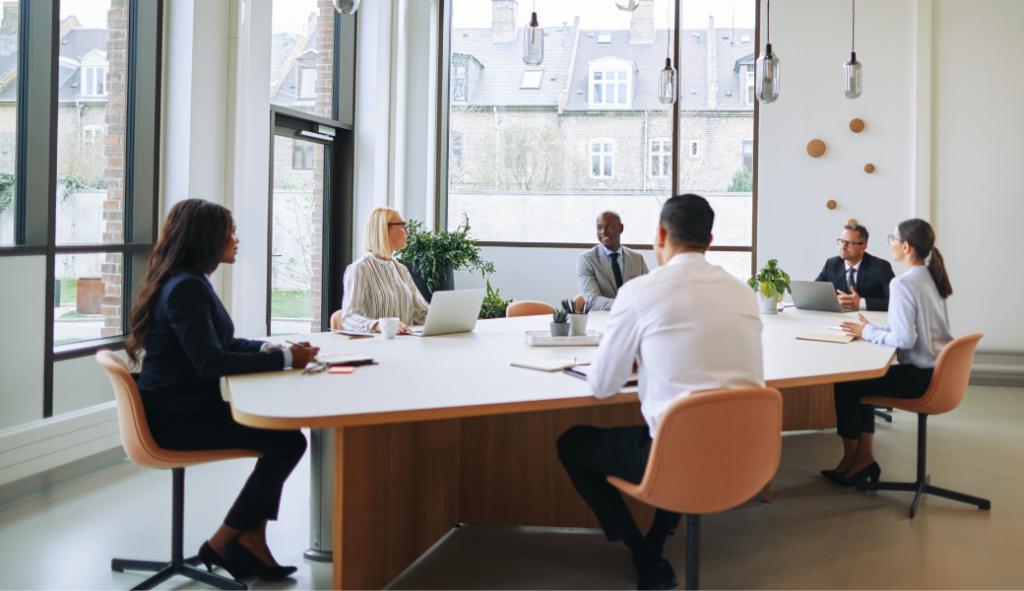
| The executive leadership team is holding an annual review of business objectives and budgets. | Large table, conference display, microphones, camera, digital room sign outside the room. | Boardroom style |
| Each team needs to attend an annual benefits review session. | Flexible tables, large screen, whiteboard, strong Wi-Fi, easy catering/service booking. | U-shape layout (Training room) |
| The product development team is hosting an analysis and brainstorm workshop for the coming year. | Camera, speakers, microphones, Teams-compatible setup, clear booking and room availability display. | Hybrid meeting room – use a Collaborative setup, or U-shape room layout |

Plan Room Services, Catering, and Equipment in advance
The meeting’s purpose is identified. The layout is chosen. Now, it’s time to reserve any additional equipment or resources you need to make the space work for attendees. This varies based on how many people are attending, how long the meeting is (do you need lunch), if any attendees are virtually joining, and if presentations or group writing tools are needed.
Essential meeting room equipment to include:
Equipping your meeting room with the right tools helps create a more productive, collaborative, and seamless experience. Below is a list of some equipment essentials every modern meeting room should include. For hybrid meetings, the first three items are a must-have.
- Display or TV screen: A high-quality display set up allows attendees to easily view presentations, shared content, and remote participants, making it a critical component of both in-person and hybrid meetings.
- Video conferencing technology with a camera and microphone(s): Clear video and audio are essential for effective hybrid collaboration. Quality cameras and microphones help ensure remote participants can see, hear, and engage in conversations without frustration. Less than 15% of meeting spaces are equipped with video conferencing technology, despite the prevalence of hybrid meetings, so this setup is critical for any meeting involving remote attendees.
- Speakers: Reliable speakers provide crisp, consistent audio so everyone in the room can clearly hear remote participants, presentations, and meeting content.
- Whiteboard or digital collaboration board: Whether you’re brainstorming ideas, mapping workflows, or conducting workshops, a whiteboard or interactive digital board encourages collaboration and makes it easier to capture and share ideas. If digital, this should also be visible on video conferencing tools for remote employees. If a physical whiteboard is used, the camera should be placed to show this clearly, or be able to be repositioned to do so.
- Power outlets and charging access: Accessible power sources help keep laptops, tablets, and mobile devices charged throughout the meeting, preventing disruptions and keeping attendees productive. Today, this is a must-have item.
Essential meeting room service to consider:
A well-set-up meeting room also includes the services that ensure meetings run smoothly from start to finish.
Beyond selecting the right meeting room space and equipment, it should be easy for employees to request catering, AV support, room setup services, and equipment such as laptops, projectors, screens, or conference phones.
Streamlining these requests helps eliminate last-minute coordination and ensures every meeting has the resources it needs to be successful. For example, Add-On Product’s, Resource Central, takes this a step further by allowing users to book meeting rooms and associated services directly within Outlook, creating a more efficient and seamless meeting planning experience.
Add these meeting room services to improve your next meeting experience:
- Catering: Order refreshments or meals when booking the room during lunch or for over an hour.
- AV assistance: Request technical support if needed.
- Room setup changes: Book table arrangements, room flip-over, or cleaning services if needed.
- Employee equipment: Reserve laptops, projectors, screens, or conference phones, if not already provided or if employees need them.

Preparing the Room for a Hybrid Meeting
Not every meeting will be in-person, or at least, have all its attendees onsite. In fact, one report found that 86% of meetings now include at least one remote participant, yet only a small percentage of office spaces are fully equipped for high-quality hybrid collaboration.
Owl Labs’ 2025 State of Hybrid Work Report also found that employees average five online or hybrid meetings per week, while in-office workers spend six minutes getting each meeting started. Here are five things to keep in mind to prepare a room for a hybrid meeting:
- Camera placement: Make sure remote participants can see the room clearly.
- Audio quality: Use microphones and speakers that work for the room size and won’t distort audio or make it hard to hear if virtually present.
- Screen visibility: Ensure everyone can see shared content – whether in the room or on a screen.
- Microsoft Teams integration: Use systems that work with Microsoft Teams and calendaring tools to automate alignment and schedules.
- Simple start-up: Reduce setup friction so meetings start on time and schedule any AV or other assistance services 15 minutes before the meeting starts.
Bonus tip: Train staff on how to set up a room for a hybrid meeting. In 2024, 49% of employees said they received training on how to run better hybrid or virtual meetings, so consider doing routine staff training to avoid any tech or setup glitches.
Use Conference Room Displays Outside Each Room to Improve Meeting Experiences
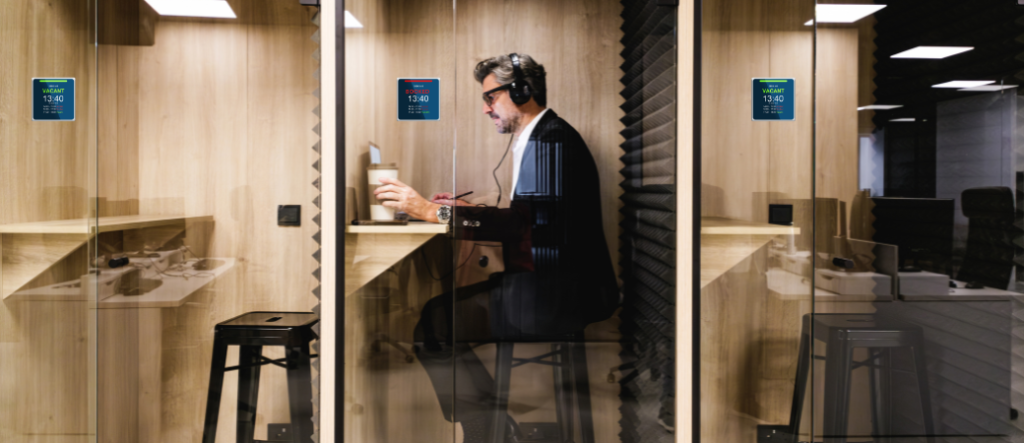
Digital signage helps eliminate confusion and streamline meeting room management by providing real-time information where it is needed most. When placed outside meeting rooms, digital displays make it easier to find, book, and use meeting spaces efficiently.
Benefits of meeting room digital signage include:
- Show real-time room availability:Digital screens connected to the booking system show free/busy status directly outside the room, making it easy for employees to quickly see which spaces are occupied or available.
- Improve navigation: For hybrid employees or visitors, room displays can help ensure the right people get to the right place, at the right time. Digital displays are easy wayfinding tools that can show meeting details and make it easy to avoid accidental no-shows or late start times.
- Show schedules and upcoming reservations: Reduce interruptions and confusion by showing current and upcoming meetings.
- On-the-spot room booking: Digital signage outside meeting rooms lets employees create, confirm, extend, or end meetings directly on the display. This also helps employees who need a space immediately.
- Reduced double bookings and no-shows: Digital room displays provide improved visibility and check-in capabilities that help improve overall meeting flow and space usage.
- Integrate with existing Microsoft solutions: Add-On Products’ Digital Sign Client syncs with Microsoft Exchange, Microsoft 365, Outlook, and Teams, ensuring information is clearly communicated across on-site and remote employee tools.
- Branding: Customize screen layouts with company colors, logos, and messages for added brand awareness and office design connectivity.
By making room information visible and accessible, digital signage can further enhance the meeting experience.
Set Up Meeting Room Booking Software
In today’s modern workplace, meeting room setup isn’t just about the room. It’s also about the process of getting the room. In fact, we’d argue this is just as important as the room and meeting itself, as the time it can take to find and book a meeting can add up fast.
Employees can lose an average of 68 minutes per week due to workplace infrastructure challenges, including finding suitable meeting spaces. Research from workplace services company Mitie found that locating rooms with the necessary technology and resources contributes to lost productivity.
This makes streamlining the booking process critical. Enter – a meeting room booking software solution that integrates with existing employee technologies and office display solutions. Here are four other reasons to consider implementing a meeting room booking solution like Resource Central to expedite the meeting room booking process.
- Prevent scheduling conflicts and eliminate double bookings by implementing meeting room booking software that integrates seamlessly with Outlook, Microsoft 365, Exchange, and Microsoft Teams.
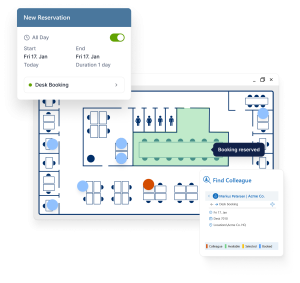
- Increase visibility across the workplace by giving employees real-time access to meeting room availability, making it easier to find and reserve the right space before they arrive.
- Simplify meeting planning with a single booking workflow that allows users to reserve meeting rooms, equipment, catering, support services, and other resources at the same time through Resource Central.
- Support today’s flexible work environment by enabling employees to book meeting spaces from anywhere using Outlook, a web browser, a mobile app, or digital signage displays.
[CTA BANNER: Want to see how Resource Central could improve your meeting room setup and booking process? Download a one-month free trial here. ]

The Ultimate Meeting Room Setup Checklist
A properly set-up meeting room does more than support meetings—it helps employees collaborate more effectively, use workplace resources efficiently, and stay focused on meaningful work. By combining the right technology, booking tools, digital signage, and workplace insights, organizations can create meeting spaces that drive productivity and deliver a better employee experience.
To give you one more helpful resource, we’ve put together a checklist to use when going through the meeting room setup process, and a quick table of meeting room layouts and best use cases to help make the selection easier. We’ve also made some technology suggestions to help further improve the overall process.
Meeting Room Set Up Checklist
- Before booking the meeting space:
- Define the meeting purpose
- Choose layout
- Confirm seating capacity
- Use booking software to book the meeting
- Order any catering, equipment, or services
- Before the meeting:
- Check the display and AV
- Test the Wi-Fi
- Check accessibility
- Prepare catering and services
Meeting room layouts and best use cases
| Meeting room setup | Best used for: | Key equipment to include: | Add-On Products features & solutions to consider: |
| Boardroom style | Executive meetings, client meetings | Large screen, camera, microphones | Room booking Digital signage |
| U-shape | Workshops, training, discussions | Display, whiteboard, speakers | Room bookingService setup |
| Classroom style | Training and seminars | Tables, screen, Wi-Fi, power outlets | Catering and resource booking |
| Theatre style | Presentations and announcements | Large display, speakers, microphones | Digital signage for room status |
| Hybrid meeting room | Mixed remote and in-room meetings | Camera, microphones, Teams setup | Digital room displays |
| Small focus room | 1:1 meetings and calls | Screen, webcam, soundproofing | Booking visibility and availability |
Long-term Success: Make Room Availability and Usage Measurable
Setting up a meeting room is only the beginning.
To maximize workplace efficiency, organizations should use meeting room data to understand how spaces are actually being used. While this isn’t part of the meeting room setup guide, we feel it’s important to call out how meeting room analytics and insights can improve meeting room setups and bookings long-term.
Analytics can reveal which rooms are most and least utilized, identify no-shows that leave valuable space sitting empty, and highlight whether rooms are consistently too large or too small for the meetings they host.
This insight helps workplace teams make smarter decisions about space planning, resource allocation, and future investments. The importance of real-world workplace data is underscored by HubStar’s Hybrid Occupancy Index 2025-2026, which analyzes more than 300 million square feet of workplace data across 13 countries to help organizations better understand office, meeting room, and collaboration space utilization.
With workplace analytics solutions, organizations can leverage live booking data through Power BI dashboards to gain actionable visibility into meeting room performance and optimize their meeting room booking process and spaces over time.
The best meeting room setup balances comfort, technology, and functionality. Organizations should consider the purpose of the meeting, room size and layout, meeting types, participant capacity, and collaboration needs when designing meeting spaces. Effective meeting rooms include ergonomic furniture, reliable connectivity, high-quality audiovisual technology, and intuitive room booking solutions.
The goal when setting up a meeting room is to create an environment that supports seamless communication and productive collaboration for both in-person and remote participants.
Every modern meeting room should be equipped with essential technology that supports communication and collaboration for virtual participants. This typically includes a display screen, video conferencing camera, microphones, speakers, wireless presentation capabilities, and a reliable internet connection.
Many organizations also deploy room scheduling displays, occupancy sensors, and collaboration tools that integrate with workplace platforms such as Microsoft Teams to improve the meeting experience and expedite any room turnover due to no-shows or cancellations.
Meeting room displays help organizations create more efficient and user-friendly workplaces by providing a visual booking resource. Equipped with real-time visibility into room availability, upcoming reservations, and meeting schedules, interactive displays can also simplify check-ins, reduce booking conflicts, and help employees quickly locate available meeting spaces.
By improving visibility and accessibility, digital signage displays contribute to better space utilization and a smoother meeting experience.
Meeting room booking software streamlines the scheduling process by making it easy for employees to find and reserve spaces, manage recurring meetings, and view room availability in real time. Using booking software can help avoid double bookings and give employees more time they can use for higher-priority items.
Many solutions integrate directly with workplace calendars and email tools, which automate and ensure consistent communication and team alignment. This also helps prevent scheduling conflicts. Advanced booking platforms like Resource Central can also provide valuable analytics on room usage, enabling organizations to optimize workplace resources, improve employee experience, and make more informed space planning decisions.
Free online demo
A member of our experienced team is ready to give you a short demo of any one of our products.